
Preamble: if you want the code and don't care for my ramblings here you go -
http://git.sysphere.org/freebsd-pkgsign/
Coming from GNU/Linux where gpg-agent was available to
facilitate key management when signing repositories or packages I
missed that feature. FreeBSD however uses SSL not GPG. But those keys
can be read by the ssh-agent and we can work with
that. Recent SolarWinds supply chain attack is a good reminder to
safeguard your software delivery pipeline.
If you announced PUBKEY repositories to your users or
customers up until this point you would have to switch to
FINGERPRINTS instead, in order to utilize the
pkg-repo(8) support for an external
signing_command.
The Python Paramiko library makes communication with an agent
simple and it is readily available as the py37-paramiko
package (or port) so I went with that. There was however a small
setback (with RSA sign flags) but more about that at the bottom of the
article. If you would prefer a simpler implementation of the agent
protocol and to have a self sufficient tool I found sshovel to be
pretty good (and confirmed signing is implemented well enough to work
for this purpose). I didn't have time to strip out (now unnecessary)
encryption code, and more importantly didn't have time to port
sshovel to python3 (as python2 is deprecated in FreeBSD).
We are all used to digests of public keys serving as fingerprints and
identifiers. However Paramiko derives fingerprints from the public key
in the SSH format. For simplicity I decided to flow with it and
reference keys by Paramiko fingerprints. The "--dump"
argument is implemented as a helper in pkgsign to list
Paramiko fingerprints of all keys found in ssh-agent. But
before we dump fingerprints if your key(s) is on the file-system
without a passphrase (which they really shouldn't be) it's time to put
a passphrase on them now (and don't forget to shred the old
ones). Here's a crash course on ssh-agent operation, and how
to get pkgsign to connect to it:
$ ssh-agent -t 1200s >~/.ssh/ssh-agent.info
$ source ~/.ssh/ssh-agent.info

$ ssh-add myprivatekey.key.enc
  Enter passphrase: [PASSPHRASE]

$ ./pkgsign --dump
  INFO: found ssh-agent key [FINGERPRINT]
If you wanted to automate key loading through some associative array etc. It would be beneficial to rename your private key to match the fingerprint. But you don't have to. However for the public key it is expected (unless you change the default behavior). This is because converting the public key obtained directly from the agent to the PEM pkcs8 format (that pkg-repo(8) is expecting in return) would be more code than this entire thing. It is much simpler to just read the public key from the file-system and be done with it.
# ln -s /usr/local/etc/ssl/public/mypublickey.pub /usr/local/etc/ssl/public/[FINGERPRINT].pubThe ownership/permissions/chflags scheme on the encrypted private key and parent directories is up to you. Or plug it in on external media, or cryptokey, or scp it only when needed, or shutdown the signing server after signing... This is crucial. Agent availability is an improvement, but don't get complacent because of it.
#!/usr/bin/env bash

declare -A REPO_KEYS

REPO_KEYS['xfce']=FINGERPRINT11111111111111111111
REPO_KEYS['gnome']=FINGERPRINT22222222222222222222

# /path/to/repos/xfce/FreeBSD:12:amd64/
ARG=$1

SOFTWARE_DISTRIB="${ARG%/*/}"
SOFTWARE_DISTRIB="${SOFTWARE_DISTRIB##/*/}"
SOFTWARE_DISTRIB_KEY="${REPO_KEYS[$SOFTWARE_DISTRIB]}"

/usr/sbin/pkg repo $ARG signing_command: ssh signing-server /path/to/pkgsign ${SOFTWARE_DISTRIB_KEY}
How to bootstrap your users or convert existing ones to the new
repository format is explained in the manual very well but let's go
over it anyway. Since the command to generate the fingerprint may look
intimidating to users you could instead opt to pregenerate it and
host it along side the public key:
# mkdir -p /usr/local/etc/pkg/keys
# mkdir -p /usr/local/etc/pkg/fingerprints/YOURORG/trusted
# mkdir -p /usr/local/etc/pkg/fingerprints/YOURORG/revoked
# fetch -o "/usr/local/etc/pkg/keys/YOURORG.pub" https://www2.you.com./YOURORG.pub

# sh -c '( echo "function: sha256"; echo "fingerprint: $(sha256 -q /usr/local/etc/pkg/keys/YOURORG.pub)"; ) \
    >/usr/local/etc/pkg/fingerprints/YOURORG/trusted/fingerprint'

# emacs /usr/local/etc/pkg/repos/YOURORG.conf
  ...
  #signature_type: "PUBKEY",
  #pubkey: "/usr/local/etc/pkg/keys/YOURORG.pub",
  signature_type: "FINGERPRINTS",
  fingerprints: "/usr/local/etc/pkg/fingerprints/YOURORG",
  ...
If you want to evaluate pkgsign with OpenSSL pkeyutl
first to confirm all of this is possible you can do so for example
like this (but only after patching Paramiko as explained in the
paragraph below this one):
$ echo -n "Hello" | \
   openssl dgst -sign myprivatekey.key.enc -sha256 -binary >signature-cmp

$ echo Hello | \
   ./pkgsign --debug [FINGERPRINT] >/dev/null

$ echo -n "Hello" | \
   openssl sha256 -binary | openssl pkeyutl -verify -sigfile signature-Hello \
   -pubin -inkey mypublickey.pub -pkeyopt digest:sha256

  Signature Verified Successfully
Now for the bad news. To make this project happen I had to patch Paramiko to add support for RSA sign flags. I submitted the patch upstream but haven't heard anything back yet. It would be nice of them to accept it, but if it takes a very long time then luckily the changes are very minor. It is trivial to keep moving it forward in a py37-paramiko port.
--- paramiko/agent.py  2021-01-15 23:03:50.387801224 +0100
+++ paramiko/agent.py  2021-01-15 23:04:34.667800388 +0100
@@ -407,12 +407,12 @@
     def get_name(self):
         return self.name

-    def sign_ssh_data(self, data):
+    def sign_ssh_data(self, data, flags=0):
         msg = Message()
         msg.add_byte(cSSH2_AGENTC_SIGN_REQUEST)
         msg.add_string(self.blob)
         msg.add_string(data)
-        msg.add_int(0)
+        msg.add_int(flags)
         ptype, result = self.agent._send_message(msg)
         if ptype != SSH2_AGENT_SIGN_RESPONSE:
             raise SSHException("key cannot be used for signing")
A few years ago, sitting in an emergency room, I realized I'm not
getting any younger and if I want to enjoy some highly physical
outdoor activities for grownups these are the very best years I have
left to go and do them. Instead of aggravating my RSI with further
repetitive motions on the weekends (i.e. trying to learn how to suck
less at programming) I mostly wrench on an old BMW coupe and drive it
to the mountains (documenting that journey, and the discovery of
German engineering failures, was best left to social media and
enthusiast forums).
Around the same time I switched jobs, and the most interesting stuff I
encounter that I could write about I can't really write about, because
it would disclose too much about our infrastructure. If you are
interested in HAProxy for the enterprise you can follow development on
the official blog.
Internet, in 2018, was not a safe place.
By this I don’t mean spam arriving in our inbox, viruses or malware lurking in software downloaded from less-reputable places, or phishing sites masquerading as our favorite e-commerce platforms.
These risks are real, but well understood and widely recognized. However, in the past years there has been an increasing evidence for, and occurrence of, completely different kinds of risk that most of us online are exposed to.
Examples of these are pervasive tracking of behavior online, appropriation of personal data by the apps or sites we use, data breaches, and junk media optimized to maximize engagement.
Before I go over each of these in more detail, a disclaimer: I don’t think everyone’s out to get me, or that big corporations such as Google or Facebook are inherently evil. I do think that companies, big and small, are incentivized to behave in ways that create or increase these risks. That is, the default is to behave in a way that makes things worse.
Start with tracking. Google and Facebook know every page you visit if it has Facebook or Google login, social or like buttons, embeds fonts or maps, uses Google Analytics or any of their dozens of APIs. So do the ad networks: a handful of major ones are used on most sites, and they track unique users so they can build your profile, optimize ad inventory that you see and retarget you. This means they follow you around the internet to show you ads for products you viewed but haven’t bought yet.
Google and Facebook, the portals to the online world for many, know the most about us. But they are not unique in this regard: companies such as Twitter, Amazon and virtually everyone else does it as well.
Is this really a problem? I believe so. I personally don’t like my privacy being violated at will by a random site I happen to visit. On a practical level, I understand that the companies collecting this data aim to maximize their shareholders’ value, not my benefit. While some amount of tracking is acceptable to improve the service I get — and people may have different notion of what’s acceptable to them — there should be a way to draw the line somewhere instead of going full-in.
Tracking can be countered by using an ad blocker, such as uBlock Origin or AdBlock Plus. Today’s ad blockers do more than just block annoying ads: they also disrupt all kinds of invasive tracking, and can be integrated in all modern browsers and mobile devices. This approach does have a side-effect of blocking ads too, depriving sites of revenue. However, at this point I don’t think browsing the web is at all viable without an ad blocker. To put it bluntly, the experience is horrible.
I also use DuckDuckGo, an alternative search engine with a focus on privacy and usability. Its results are usually slightly worse than Google’s, but it does have a few extra tricks up its sleeve (such as direct searching of a specific sites) and it’s easy to fall back to Google, so it’s tradeoff I’m willing to make. DuckDuckGo also has a browser extension which can also block tracking software and report site’s privacy score, among other things.
Finally, I use Firefox with Multi-Account Containers and First-Party Isolation features enabled. These are “block 3rd-party cookies” option on steroids, completely isolating each site so no cross-site tracking is possible. The side effect is disrupting features such as log in via Google or Facebook, comments or likes, and site widgets from 3rd party sites. Equipped with a good password manager (I use 1Password), I find this only mildly annoying.
On mobile, I use Firefox Focus, which behaves like a browser in incognito mode, making it easy to forget all history (including any tracking cookies) with a single tap.
The amount of information big internet giants track about us is dwarfed by the amount of data we freely give them: photos, videos, text posts, travel and purchase information, our plans, intentions, fears and desires. And for the most part, they can keep this data forever, use it as they like, including giving others access to it. This has been somewhat limited by the European GDPR and the series of privacy scandals involving Facebook intentionally and unintentionally giving others vast amounts of what should’ve been private data. But it is still largely in place for those not inclined to, or not aware that they have the option to, micro-manage what rights over their data they give Facebook and other big companies.
The problem here lies in not seeing through the implications of this. When you tell Facebook (or Google, …) something, it remembers it forever. For instance, that embarrassing photo or status update you hope everyone’s forgotten by now. That awkward private message that you sent as public instead. That photo of you six months old naked in a bathtub that your parents thought was infinitely cute and just had to share publicly at the time.
All of this will be used, to sell you stuff or to make you come back for more. If you get embarrassed, mobbed, fired or worse — hey, you shouldn’t have posted it online.
Which brings me to the best way to minimize this risk: treat everything you post as if you’ve shouted it on prime-time national TV. If you wouldn’t be comfortable letting the world know about it, don’t put it online.
The only exception to this is email and private messages. Data breaches notwithstanding, these usually come with privacy implied and companies take care to protect these. But even here, it pays to be cautious because your conversation peers might not be.
Another way to ensure your privacy online is respected is to periodically — say, once a year — visit privacy and security settings of the sites you use and verify that all the settings are to your liking. These companies have an annoying habit of changing available privacy controls which then default to something the company finds useful, not what you might’ve wanted.
Massive data breaches, exposing passwords, social security numbers or other private and sensitive information of thousands or even millions of users, are nowadays a common occurrence.
While perfect security is impossible, the fact is that companies are not incentivized to strive for this perfection. One of the larger data breaches, that of up to 40 million credit and debit card details of Target in 2013, cost the company $202 million in total. This is in comparison with $2.4 billion net income for the company in 2017.
The largest data breach in 2018 was that of the Marriot Starwood customers' data, affecting anywhere between 300 and 500 million customers.
Laws like the European General Data Protection Regulation (GDPR) and California’s Consumer Privacy Act are slowly changing things for the better, but there’s still a long road ahead.
Individually, the best protection is following security best practices such as not using the same password on multiple sites, using HTTPS, enabling 2-factor authentication where avilable, using end-to-end encryption for private messaging, and so on. This decreases the problems you have when (not if) one of the sites you visit has a data breach.
I use the term “junk media” for content that’s primarily designed to get eyeballs, not provide useful information, be interesting or entertain. A few examples are textual and video content farms, social media feeds optimized for engagement or viral content, or irrelevant “breaking news”. Again, the line here is blurry and everyone will have differing criteria.
Why am I mentioning junk media in a post about staying safe online? Similar to over-sharing of our personal data, this is something we do to ourselves without really thinking about it. Accumulating over the longer term, it can also have negative consequences for us.
Junk media may be “fun” or “interesting” in the sense that we have an instant reaction, just like junk food can be tasty while containing poor nutritional value. In either case, indulging in moderation is not a problem, but a steady diet of either won’t be good for our health.
The problem is that moderation doesn’t maximize revenue. In purely commercial terms, the winning strategy for the media companies is to maximize views and engagement while minimizing churn. The more time we spend on those sites and the more content we consume, comment on or share, the better. The quality of time spent for the consumer is of secondary importance — just good enough to prevent people from leaving.
Junk media is not confined to online. It’s equally present in the press, on the TV and the radio. In the past, there’s been a lot said of negative effects of too much TV. Comparatively little research has been done into negative effects of too much social media.
Not consuming too much junk media is as easy — or as hard — as not overeating junk food: just don’t do it. A more actionable advice is putting it “out of reach” so you won’t unthinkingly reach for it. For example, I open Facebook from an incognito browser and have 2-factor authentication enabled. This forces me to go through multi-step login process each time I want to visit, making it inconvenient enough that I only visit if I really want to. For the same reason I also haven’t installed a Facebook app on my phone — it makes it too convenient to dive back in.
I’ve titled the post “Digital hygiene”. As with the regular form, digital hygiene consists of small things we can do every day that improve our health and minimize health risks.
Starting with the security best practices, thinking about what kind of information we’re sharing (willingly or not) with companies and the larger public and the possible implications down the road, we can change our behavior ever so slightly to minimize the downsides, while still reaping the benefits, of living online.
This post is my attempt to raise your awareness of some of these things, share a few practical tips, and give you some food for thought.
Ubuntu je afrička riječ koju opisuju kao "previše lijepu da bi ju preveli na engleski". Esencija te riječi glasi da je neka osoba potpuna samo uz pomoć drugih ljudi. Naglasak je na dijeljenju, dogovaranju i zajedništvu. Kao stvoreno za open source. Dosta ljubavi, gdje je tu Linux, čujem kako već negoduju nestrpljivi čangrizavci. :-) Wolfwood's Crowd blog 2004.
Ubuntu koristim od prve inačice, 4.10, Warty Warthog. Ispod haube je bio, i još uvijek je, Debian. Canonical je napravio fino podešavanje, dodali su sastojke koji su Debianu nedostajali. Uveli su točno definirali ritam izlaženja od kojeg su odustali samo jednom, na prvoj LTS inačici, 6.06, Dapper Drake. U prvim godinama besplatno su slali instalacijske CD-ove širom svijeta.
Za sve je to bio zaslužan Mark Shuttleworth koji je zaradio brdo novaca nakon što je Thawte prodao VeriSignu. Taj novac mu je omogućio da postane drugi svemirski turist, ali za tu avanturu je učio i pripremao cijelu godinu dana, uključujući i 7 mjeseci u Zvjezdanom Gradu u Rusiji.
Nakon toga se posvetio razvoju i promociji slobodnog softvera, financirajući Ubuntu kroz kompaniju Canonical.
Ubuntu je u žarištu uvijek imao korisnika i jednostavnost korištenja, po čemu se dosta razlikovao od ostalih distribucija u to vrijeme. Zbog toga i nije bio omiljena distribucija za hard core linuxaše.
Meni se taj pristup i cijela priča oko Ubuntu distribucije dopala na prvu i zato sam tada i napisao...
Čini mi se da Ubuntu nije još samo jedna od novih distribucija koje niču kao gljive poslije kiše. Ima sve preduvjete da postane jedan od glavnijih igrača na Linux sceni. Wolfwood's Crowd blog 2004.
U ovih 14 godina koristio sam i neke druge distribucije. openSUSE, Fedora, Arch, Manjaro, CrunchBang. Upoznavao se s novim igračima, Solus, Zorin, elementary OS. CentOS na poslužiteljima. Mint i ostale distribucije koje za osnovu uzimaju Ubuntu. Međutim kad odaberete svoje desktop okruženje sve je to isti Linux. I onda prevagnu detalji, stabilnost i redovitost. LTS inačica na kritična računalo, najnovija na sve ostalo.
Ubuntu je vrlo brzo postao dobro podržan od strane onih koji proizvode aplikacije koje se ne nalaze u repozitorijima ili čije najnovije inačice još nisu tamo. Personal Package Archives je odlična stvar. U posljednje vrijeme manje koristim PPA, a više Snap .
Ubuntu donosi novosti, ali ima i promašaja. Unity, desktop sučelje koje je napravljeno posebno za Ubuntu, nakon otpora, kontroverzi i prihvaćanja ipak je umirovljeno i sada je GNOME glavno sučelje. Ubuntu Touch je trebao biti mobilna inačica za pametne telefone i tablete, ali izgleda da je završio u slijepoj ulici. Usklađivanje (Convergence) mi je bila odlična ideja, možda zbog toga što sam i sam razmišljao o tome. Ono po čemu se Ubuntu razlikuje od drugih distribucija je upravo ta težnja i neustrašivost da se krene u nešto novo.
Istina, brod je sada u mirnijim vodama, ali ne bi me začudilo da se Ubuntu opet uputi tamo gdje druge distribucije još nisu bile, ili uopće ne pomišljaju na to. Pa nije se valjda Mark umorio ili mu je ponestalo ideja?
Internet je knjiškim moljcima omogućio lakši pristup poslasticama za koje se prije trebalo dosta potruditi. Dobri ljudi su skenirali stare knjige i učinili ih dostupnim i drugima. Klasični knjiški moljci se zgražaju digitalije i koriste samo papirnate knjige, ali ja sam pragmatičan, bolje digitalna knjiga na disku nego papirnata u dalekoj knjižnici. I pretraživanje je lakše, brže i bolje. Nemaju sve knjige indekse, a puno listanja uništava staru knjigu i njezin požutjeli papir. Nekada sam nabavljao dosta starih knjiga (ili njihov reprint) koje su me zanimale, ali sada tražim samo one koje ne mogu naći u digitalnom obliku.
Kad govorim o skidanju starih knjiga onda mislim na knjige kojima su autorska prava istekla i postale su javno dobro. Po važećem zakonu o autorskom pravu ta prava ističu 70 godina nakon smrti autora. Do 1999. taj rok je bio 50 godina pa se na autore kojima je prije toga isteklo pravo ne primjenjuje novi već stari rok. Više detalja na eLektire.skole.hr.
Glavni interes su mi knjige na hrvatskom jeziku i dijalektima te knjige koje se bave ovim prostorima (uglavnom na latinskom).
Na pitanje Koji bi web site odnio na pusti otok? (ili na Mars, da budemo u skladu s vremenom) odgovor bi bio Internet Archive. Ne samo da gore ima hrpa knjiga, tamo je i arhiva web stranica, filmova, tv vijesti, zvučnih zapisa (npr. Greatful Dead), programa za računala (npr. Internet Arcade) i još puno toga.
Internet arhiva ima preko 15 milijuna slobodno dostupnih knjiga i tekstova. Pretraživanje nije baš najbolje, pa je bolje
koristiti Google (unesete pojam za pretraživanje i site:archive.org kako bi
pretragu suzili samo na tu web stranicu). Ta arhiva mi je bila prvo mjesto na
kojem sam našao puno naših knjiga, i to u vrijeme kad javno dostupne
digitalizirane građe kod nas skoro da nije ni bilo. Arhiva vam omogućava i
stvaranje profila pa možete uvesti nekog reda u svoje čitanje i pretraživanje.
Ono što mi se najviše dopada kod te arhive je mogućnost skidanja knjiga u više različitih formata, od kojih je jedan i moj omiljeni DjVu format. Knjige možete čitati i online, njihov preglednik je jedan od najboljih, a ako želite knjigu možete ponuditi i posjetiteljima vaše web stranice koristeći embed kod.
Knjige su sakupljene iz različitih izvora i kvaliteta skeniranja nije uvijek najbolja. Neke stranice imaju premalu rezoluciju, a kod nekih vidite prste onih koji su okretali stranice. Na ostatke gableca još nisam naletio.
Moj mali prilog toj arhivi je kratki prikaz Progon vještica u Turopolju.
Google ima projekt u kojem želi napraviti katalog svjetskih knjiga, a one čija prava su istekla možete čitati i preuzeti. Ako želite pronaći nešto što je objavljeno u nekoj knjizi onda je Google Books odlično mjesto za početak pretrage.
Slobodno dostupne knjige možete čitati u pregledniku ili preuzeti u .pdf formatu. Za Google korisnik nije baš u prvom planu pa tu ima malih nebuloza pa su neke knjige dostupne za pregled, ali ih ne možete preuzeti jer sadržaj nije dostupan za posjetitelje iz Hrvatske. Hm, pokušao sam preuzeti par knjiga, ali sad mi tu poruku javlja za sve koje sam pronašao da imaju oznaku ebook - free. Nedavno nije bilo tako. Ne iznenađuje me to od Googlea, mi smo nevažni korisnici. Većina tih knjiga je skenirana na američkim sveučilištima. Kao sponzori su, između ostalih, navedeni Google, Microsoft, a iste knjige se mogu naći i na Internet Archive stranici.
Google Books uglavnom koristim za pretraživanje i rijetke slučajeve kad je neka knjiga samo tu dostupna.
Nekada su se digitaloljupci morali osloniti na američke knjižnice, dosta te građe je bilo dostupno samo njihovim korisnicima ili posjetiteljima iz SAD-a, nešto od toga je bilo dostupno i ostalima. Kako je dotok digitalne građe počeo i s naše strane već nekoliko godina ne koristim te servise pa nemam neku preporuku.
HathiTrust Digital Library ima veliku kolekciju, dobru tražilicu i dobar preglednik. Za skidanje vam treba partner login (na popisu su američka sveučilišta).
Europa se malo trgnula pa možete koristiti Europeana Collections za početak pretrage. Uz pomoć te stranice pronašao sam Munich DigitiZation Center koji ima dosta materijala. Lopašićeve "Hrvatske urbare" uspio sam naći samo tamo.
Najveća domaća zbirka je DiZbi.HAZU. Dostupno je skoro 1800 knjiga i preko 1300 rukopisa. Kvaliteta skenirane građe je odlična. Sučelje je malo nespretno, pretraživanje je zadovoljavajuće, ali kad tražite više pojmova onda shvatite da bi mogla biti ii puno bolja.
Preglednik je vrlo jednostavan, bez nekih naprednih mogućnosti prikazuje stranicu po stranicu.
Navigacija u pregledniku knjige je loše riješena, najproblematičnije je skakanje ne neku određenu stranicu. Veza na stranicu nije riješena jednostavno (broj stranice u adresi) već je veza riješena uz pomoć nekog hasha/koda, ne postoji mogućnost odabira točno određene stranice, pa morate biti spremni na puno listanja i klikanja.
Pratim tu zbirku dosta dugo, nekada je bilo moguće preuzimanje odabranih stranica, pa je to onda bilo onemogućeno, a sad vidim da je opet moguće preuzimanje (samo za knjige s isteklim autorskim pravima).
Tehničko rješenje je Ingigo platforma koja se koristi za skoro sve domaće projekte digitalizacije.
Zbirka Nacionalna i sveučilišne knjižnice u Zagrebu također koristi Indigo platformu. Ova zbirka se tek u zadnje vrijeme počela popunjavati i sadrži nešto preko 500 knjiga. Malo sam razočaran, s obzirom na dostupnost građe očekivao bi više sadržaja u ovoj zbirci, ali valjda će s vremenom ona sve više rasti.
Koristi noviju inačicu platforme, preglednik je moderniji s boljom navigacijom i pregledom po stranicama, ali ne nude preuzimanje knjiga.
Zbirka Knjižnica grada Zagreba koristi stariju inačicu Indigo platforme. Nema skidanja, jednostavan preglendik i 123 knjige.
FOI ima zanimljivu Metelwin digitalnu knjižnicu i čitaonicu. Osim starih knjiga ima i novih izdanja te arhiva časopisa.
Preglednik je dobar, omogućava jednostavnu navigaciju, ima dosta naprednih mogućnosti te mogućnost ugrađivanja na druge web stranice. Nisam pronašao mogućnost za preuzimanje knjige.
Nacionalna sveučilišna knjižnica u Zagrebu je digitalizirala dosta novina i časopisa koji su dostupni na stranicama Stare hrvatske novine i Stari hrvatski časopisi. Tražilice su dobre kad tražite jednostavne pojmove. Kvaliteta skeniranog materija je odlična, ali preglednik je spartanski (pregledava se slika po slika u prozoru koji iskače). Za listanje se koristi Microsoft Silverlight kojeg je i vrijeme zaboravilo.
Jučer je u Europskom parlamentu prihvaćen prijedlog direktive o autorskim pravima. I dok neki smatraju da se radi samo o zaštiti autora drugi misle da se radi o katastrofi i pozivaju na borbu.
Kao i u slučaju kolačića, gdje se zaštita privatnosti mogla riješiti na puno efikasniji i jeftiniji način, tako i sada oni koji su uključeni u direktivu jednostavno ne razumiju dosta toga.
Ovdje ću se osvrnuti na filtere koji bi trebali spriječiti korisnike da objavljuju dijelove ili cijela autorska djela. Pri tome ću se ograničiti samo na pisanu riječ. Za većinu korisnika će izrada takvog filtera biti nepremostiva teškoća i najvjerojatnije će, oni koji to moraju, koristiti neki servis treće strane. To će im stvoriti dodatne troškove, ali ni taj filter sigurno neće biti 100% točan. Najveći problem će najvjerojatnije biti u pogrešnim detekcijama.
Kad govorite o nekoj temi, recimo o nogometu, vrlo je teško biti potpuno originalan. Ako HNK Gorica pobijedi GNK Dinamo golom Dvornekovića u posljednoj minuti utakmice većina članaka će biti vrlo slična. Čak se i naslovi neće puno razlikovati. Zamislimo sad situaciju gdje svi domaći portali koriste isti filter. Prvi tekst koji dođe na provjeru će proći, ali ostali koji slijede neće zbog velike sličnosti teksta. I što će onda napraviti novinari? Morali budu promijeniti tekst da prođe filter. Naslov će morati slagati bolje od bilo kojeg driblera, iskoristiti riječi koje se rijetko koriste i poslagati ih u redoslijedu koji drugima neće pasti na pamet. S tekstom će biti isto tako. Za svaki gol morali budu smisliti originalni izraz za postići gol. Svaku reakciju igrača na terenu i trenera uz graničnu liniju morali budu opisati na jedinstven način. Možete li zamisliti kako će izgledati ti tekstovi? Meni je prvo pao na pamet onaj skeč iz Monty Pythona. Isto tako, samo s riječima.
Komentatori na portalima će biti na još većem iskušenju. Neki portali će krenuti linijom manjeg otpora pa će jednostavno izbaciti mogućnost korisničkih komentara. Isto kao što su neki američki portali blokirali EU korisnike. Jako će zaboravno biti kod onih koji će ostaviti komentare i uključiti filter. Hoće li komentari imati status autorskog djela i kakve će sve bravure izvoditi ovisnici o komentiranju? Možda bi bilo najbolje da izmisle neki svoj jezik.
Jezik? Da, to je još jedan dodatni problem. Hoće li filter morati prevoditi sadržaj na sve moguće svjetske jezike kako bi se provjerilo da netko nije napisao tekst ili komentar kojeg je samo preveo s nekog drugog jezika? I kakvu bi ogromnu bazu trebao imati taj filter? To je sigurno manji problem, veći je problem napraviti dovoljno brz i efikasan algoritam koji će u zadovoljavajućem vremenu vratiti odgovor. Trebalo bude izmisliti neki hash koji neće biti kao ovi standardni već će tekstovi koji su slični imati i jako slične hasheve.
Na kraju bi sve moglo završiti kao i s kolačićima. Svi će imati neke standardne poruke na koje će svi klikati bez da ih čitaju. Neki će imati filtere, ali će s njima imati više problema nego koristi. Direktivu će neki pokušati upotrijebiti protiv velikih igrača, ali će se mnogima od njih to razbiti o glavu. Neki će se naći i na sudu, manje iz opravdanih, a više iz trolerski razloga.
Hoće li autori imati kakve koristi od cijelog tog cirkusa? Ili će se i neki od njih morati braniti od optužbi? A možda im se dopadne ideja ministarstva smiješnog pisanja? Neki od njih već ni sada nisu daleko od toga.
0:00:00.000,0:00:09.540
Hello. How are you?
This is the participation part, come on

0:00:09.540,0:00:19.619
you're not the first I time here!
OK, my name is Dobrica Pavlinušić and I will try to

0:00:19.619,0:00:25.019
persuade you today that you can do with
your Linux something which you might not

0:00:25.019,0:00:32.969
have thought of by yourself I hope in a
sense in last year and a half I noticed

0:00:32.969,0:00:38.610
that I am using microcontrollers for
less and less and that I'm using my

0:00:38.610,0:00:44.760
Linux more and more for more or less the
same tasks and in that progress process

0:00:44.760,0:00:51.239
I actually learned something which I
want to share with you today in a sense

0:00:51.239,0:00:57.059
my idea is to tell you how to do
something with your arm single board

0:00:57.059,0:01:05.729
computer in this lecture we will talk
mostly about Allwinner boards but if

0:01:05.729,0:01:12.119
you want a hint if you want to buy
some arm computer please buy the board

0:01:12.119,0:01:17.070
which is supported by armbian. armbian  is the project which actually

0:01:17.070,0:01:21.360
maintains the distribution for our
boards and is currently the best

0:01:21.360,0:01:27.689
distribution for arms aside from me
raspbian for Raspberry Pi but raspbian

0:01:27.689,0:01:32.909
supports only Raspberry Pi but if you have
any other board please take a look if

0:01:32.909,0:01:37.860
there is an armbian port. if there isn't
try to contribute one and if you are

0:01:37.860,0:01:41.850
just deciding which board to buy my
suggestion is buy the one which is

0:01:41.850,0:01:47.070
already supported on the other hand if
you already did something similar you

0:01:47.070,0:01:52.079
might have found some references on the
internet about device three and it

0:01:52.079,0:01:55.619
looked like magic
so we'll try to dispel some of that

0:01:55.619,0:02:03.180
magic today unfortunately when you start
playing with it one of the first things

0:02:03.180,0:02:10.459
you will want to do is recompile the
kernel on your board so be prepared to

0:02:10.459,0:02:15.810
compile additional drivers if they are
not already included. armbian again

0:02:15.810,0:02:21.890
wins because it comes with a lot of
a lot of drivers already included and

0:02:21.890,0:02:28.950
this year I will not say anything which
requires soldering which might be good

0:02:28.950,0:02:35.190
for you if you are afraid of the heat
but it will be a little bit more than

0:02:35.190,0:02:41.519
just connecting few wires not much more
for a start let's start with the warning

0:02:41.519,0:02:46.980
for example you have a arms in arms
small arm board and you want to have a

0:02:46.980,0:02:52.019
real clock in it you know the one which
keeps the time when the board is powered

0:02:52.019,0:02:57.239
off has the battery and so on if you buy
the cheapest one from China which is

0:02:57.239,0:03:02.879
basically for Arduino you will buy the
device which is 5 volt device which your

0:03:02.879,0:03:10.170
arm single board computer isn't. you can
modify the board removing two resistors

0:03:10.170,0:03:16.409
if you want to but don't tell anyone I2C, and will mostly talk about i2c

0:03:16.409,0:03:23.819
sensors here, should be 5 volt tolerant
so if you by mistake just connected and

0:03:23.819,0:03:30.569
your data signals are really 5 volt you
won't burn your board but if you are

0:03:30.569,0:03:35.129
supplying your sensor with 5 volts
please double-check that your that is

0:03:35.129,0:03:39.060
sure to connect it to your board and
nothing bad will happen this is the only

0:03:39.060,0:03:44.970
warning I have for the whole lecture in
this example I showed you a really

0:03:44.970,0:03:49.829
simple way in which you can take the
sensors run i2cdetect, detect its

0:03:49.829,0:03:59.370
address in this case it's 68 - and then
- load 1 kernel module and all of the

0:03:59.370,0:04:03.889
sudden your Raspberry Pi will have battery backed clock, just like your laptop does

0:04:03.889,0:04:12.569
but how did this journey all started for
me? about two years ago I was very

0:04:12.569,0:04:18.060
unsatisfied with the choice of pinouts
which you can download from the internet

0:04:18.060,0:04:23.820
I was thinking something along the lines
wouldn't be it wouldn't it be nice if I

0:04:23.820,0:04:27.060
could
print the pinout for any board I have

0:04:27.060,0:04:36.360
with perfect 2.54 millimeters pin
spacing which I can put beside my pins

0:04:36.360,0:04:43.440
and never make a mistake of plugging the
wire in the wrong pin and we all know

0:04:43.440,0:04:48.000
that plugging the wire in the wrong pin
is always the first problem you have on

0:04:48.000,0:04:54.120
the other hand you say oh this is the
great idea and you are looking at your

0:04:54.120,0:04:58.320
pin out which is from the top of the
board and you are plugging the wires

0:04:58.320,0:05:02.160
from the bottom of the board and all of
the sudden your pin out has to be

0:05:02.160,0:05:06.660
flipped but once you write a script
which actually displays the pin out it's

0:05:06.660,0:05:12.950
trivially easy to get to add options to
flip it horizontally or vertically and

0:05:12.950,0:05:18.870
create either black and white pin out if
you are printing it a laser or color pin

0:05:18.870,0:05:26.639
out if you are printing it on some kind
of inkjet so once you have that SVG

0:05:26.639,0:05:31.680
which you can print and cut with the
scissors and so on it's just a script on

0:05:31.680,0:05:38.370
your machine so you could also have the
common line output and then it went all

0:05:38.370,0:05:44.070
south I started adding additional data
which you can see on this slide in

0:05:44.070,0:05:50.250
square brackets with the intention of
having additional data for each pin for

0:05:50.250,0:05:56.250
example if I started SPI I want to see
that this pin is already used so I will

0:05:56.250,0:06:01.830
not by mistake plug something into the
SPI pins if I already have the SPI pin

0:06:01.830,0:06:08.150
started if I have the serial port on
different boards your serial might be

0:06:08.150,0:06:14.880
UART4 on this particular CPU but it's
the only serial in your Linux system so

0:06:14.880,0:06:21.270
it will be /dev/ttyS0 for
example so I wanted to see all the data

0:06:21.270,0:06:27.180
and in the process I actually saw a lot
of things which kernel know and I didn't

0:06:27.180,0:06:33.690
so today talking to you about it of
course in comment line because you might

0:06:33.690,0:06:36.990
rotate your board well plug in the wires
you can also do

0:06:36.990,0:06:45.540
all the flips and things you you already
saw in the in the graphic part so let's

0:06:45.540,0:06:50.190
start with the sensor okay I said cheap
sensor for eBay we'll get the cheap

0:06:50.190,0:06:54.840
sensors from eBay but this sensor is from
some old PowerPC Macintosh. It was

0:06:54.840,0:06:59.580
attached to the disk drive and the
Macintosh used it to measure the

0:06:59.580,0:07:04.890
temperature of the disk drive. you know
that was in the times before the smart

0:07:04.890,0:07:12.060
had a temperature and I said hmm this
is the old sensor, kernel surely

0:07:12.060,0:07:16.800
doesn't have support for it, but, oh look,
just grep through the kernel

0:07:16.800,0:07:21.900
source and indeed there is a driver and
this was a start I said hmm

0:07:21.900,0:07:29.580
driver in kernel, I don't have to use
Arduino for it - now that I know that

0:07:29.580,0:07:35.070
driver is there and I have kernel module compiled, we said that prerequisite

0:07:35.070,0:07:40.950
is that we can compile the kernel, what
do we actually have to program or do to

0:07:40.950,0:07:46.260
make this sensor alive? not more than
this a echo in the middle of the slide

0:07:46.260,0:07:52.200
you just echo the name of the module and
the i2c address the i2c addresses we saw

0:07:52.200,0:07:56.070
it before we can get it with i2cdetect by just connecting the sensor and

0:07:56.070,0:08:02.280
the new device will magically appear it
will be shown in the sensors if you have

0:08:02.280,0:08:06.840
lm-sensors package installed but if
you don't you can always find the same

0:08:06.840,0:08:14.160
data in /sys/ file system which is full
of wonders and as we'll see in non

0:08:14.160,0:08:19.350
formatted way so the first two digits
actually the last three digits digits

0:08:19.350,0:08:26.640
are the decimal numbers and the all the
other are the the integer celsius in

0:08:26.640,0:08:34.470
this case. but you might say - I
don't want to put that echo in my startup

0:08:34.470,0:08:40.380
script! or I would like to have that as
soon as possible I don't want to depend

0:08:40.380,0:08:43.980
on the userland
to actually start my sensor and believe

0:08:43.980,0:08:48.710
it or not because your smart phones have
various sensors in

0:08:48.710,0:08:52.790
them, there is a solution in the Linux kernel
for that and it's called the device tree

0:08:52.790,0:08:58.700
so this is probably the simplest form of
the device tree which still doesn't look

0:08:58.700,0:09:06.020
scary, but it i will, stay with me, and it
again defines our module the address

0:09:06.020,0:09:12.020
which is 49 in this case and i2c 1
interface just like we did in that echo

0:09:12.020,0:09:16.700
but in this case this module will be
activated as soon as kernel starts up

0:09:16.700,0:09:24.590
as opposed to the end of your boot up
process. one additional thing that kernel

0:09:24.590,0:09:31.000
has and many people do not use is
ability to load those device trees

0:09:31.000,0:09:35.750
dynamically the reason why those most
people don't use it is because they are

0:09:35.750,0:09:41.270
on to old kernels I think you have to
have something along the lines of 4.8

0:09:41.270,0:09:47.510
4.8 or newer to actually have the
ability to load the device trees live

0:09:47.510,0:09:54.470
basically you are you are using /sys/kernel/config directory and this script

0:09:54.470,0:10:00.620
just finds where you have it mounted and
loads your device tree live word of

0:10:00.620,0:10:09.200
warning currently although it seems like
you can do that on Raspberry Pi the API

0:10:09.200,0:10:14.270
is there the model is compiled,
everything is nice and Diddley, kernel

0:10:14.270,0:10:18.350
even says that device tree overlay is
applied, it doesn't work on the raspberry

0:10:18.350,0:10:24.950
pi because raspberry pi is different but
if you gave a any other platform live

0:10:24.950,0:10:31.670
loading is actually quite nice and
diddley. so now we have some sensor and it

0:10:31.670,0:10:37.310
works or it doesn't
and we somewhat suspect that kernel

0:10:37.310,0:10:43.040
developers didn't write a good driver
which is never ever the case if you

0:10:43.040,0:10:48.260
really want to implement some driver
please look first at the kernel source

0:10:48.260,0:10:52.220
tree there probably is the
implementation better than the one you

0:10:52.220,0:10:56.930
will write and you can use because the
kernel is GPL you can use that

0:10:56.930,0:11:00.970
implementation as a reference because in
my

0:11:00.970,0:11:05.890
small experience with those drivers in
kernel they are really really nice but

0:11:05.890,0:11:10.960
what do you do well to debug it?
I said no soldering and I didn't say but

0:11:10.960,0:11:15.010
it would be nice if I could do that
without additional hardware. Oh, look

0:11:15.010,0:11:20.890
kernel has ability to debug my i2c
devices and it's actually using tracing.

0:11:20.890,0:11:26.140
the same thing I'm using on my servers
to get performance counters. isn't that

0:11:26.140,0:11:30.340
nice. I don't have to have a logic
analyzer. I can just start tracing and

0:11:30.340,0:11:40.120
have do all the dumps in kernel. nice,
unexpected, but nice! so let's get to the

0:11:40.120,0:11:45.790
first cheap board from China so you
bought your arm single base computer

0:11:45.790,0:11:52.030
single board computer and you want to
add few analog digital converters to it

0:11:52.030,0:11:57.070
because you are used to Arduino and you
have some analog sensor or something and

0:11:57.070,0:12:05.620
you found the cheapest one on eBay and
bought few four five six because they

0:12:05.620,0:12:10.990
are just the $ each, so what do you do
the same thing we saw earlier you just

0:12:10.990,0:12:17.800
compile the models say the address of
the interface and it will appear and

0:12:17.800,0:12:23.770
just like it did in the last example so
everything is nice but but but you read

0:12:23.770,0:12:30.790
the datasheet of that sensor and the
sensor other than 4 analog inputs also

0:12:30.790,0:12:38.860
has 1 analog output which is the top
pin on the left denoted by AOUT, so you

0:12:38.860,0:12:42.850
want to use it
oh this kernel model doesn't is not very

0:12:42.850,0:12:46.900
good it doesn't have ability to control
that of course it does but how do you

0:12:46.900,0:12:50.680
find it?
my suggestion is actually to search

0:12:50.680,0:12:57.190
through the /sys/ for either address of
your i2c sensor, which is this

0:12:57.190,0:13:05.790
case is 48, or for the word output or
input and you will actually get all

0:13:05.790,0:13:12.400
files, because in linux everything is a
file, which are defined in driver of this

0:13:12.400,0:13:16.620
module, and if you
look at it, there is actually out0_output

0:13:16.620,0:13:24.630
out0_output file in which you can
turn output on or off so we are all

0:13:24.630,0:13:29.910
golden. kernel developers didn't forget
to implement part of the driver for this

0:13:29.910,0:13:38.910
sensor all golden my original idea was
to measure current consumptions of arm

0:13:38.910,0:13:44.490
boards because I'm annoyed by the random
problems you can have just because your

0:13:44.490,0:13:49.470
power supply is not powerful enough so
it's nice actually to monitor your power

0:13:49.470,0:13:55.740
usage so you will see what changes, for
example, you surely... we'll get that, remind

0:13:55.740,0:14:01.250
me to tell you how much power does the
 the additional button take

0:14:01.250,0:14:05.130
that's actually interesting thing which
you wouldn't know if you don't measure

0:14:05.130,0:14:10.950
current so you buy the cheapest possible
eBay sensor for current, the right one

0:14:10.950,0:14:16.560
is the ina219 which is
bi-directional current sensing so you

0:14:16.560,0:14:21.690
can put it between your battery and solar panel and you will see

0:14:21.690,0:14:26.160
whether the battery is charging or
discharging, or if you need more channels

0:14:26.160,0:14:34.020
I like an ina3221 which has 3 channels,
the same voltage

0:14:34.020,0:14:40.500
but 3 different channels, so you can
power 3 arm single computers from one

0:14:40.500,0:14:47.670
sensor if you want to. and of course once
you have that again the current is in

0:14:47.670,0:14:53.260
some file and it will be someting...

0:14:53.260,0:14:56.490
But, I promised you IOT? right? nothing

0:14:56.490,0:14:59.070
I said so far is IOT! where is the
Internet?

0:14:59.070,0:15:05.100
where are the things? buzzwords are missing! OK, challenge

0:15:05.100,0:15:08.550
accepted! Let's make a button! you know it's like a

0:15:08.550,0:15:15.029
blink LED. So buttons, because I was
not allowed to use soldering iron in

0:15:15.029,0:15:21.990
this talk, I'm using old buttons from old
scanner. nothing special 3 buttons, in

0:15:21.990,0:15:25.350
this case with hardware debounce, but we
don't care.

0:15:25.350,0:15:29.270
4 wires 3 buttons.
how hard can it be?

0:15:29.270,0:15:36.240
well basically it can be really really
simple  this is the smallest

0:15:36.240,0:15:42.638
font so if you see how to read this I
congratulate you! in this case I am

0:15:44.580,0:15:51.360
specifying that I want software pull up, in this first fragment on the top.

0:15:51.360,0:15:57.840
I could have put some
resistors, but you said no soldering

0:15:57.840,0:16:03.540
so here I am telling to my
processor. please do pull up on

0:16:03.540,0:16:09.540
those pins. and then I'm defining three
keys. as you can see email. connect and

0:16:09.540,0:16:15.660
print. which generate real Linux
keyboard events. so if you are in X and

0:16:15.660,0:16:20.730
press that key, it will generate that key,
I thought it would it would be better to

0:16:20.730,0:16:26.400
generate you know the magic multimedia
key bindings as opposed to A, B and C

0:16:26.400,0:16:31.940
because if I generated a ABC and was its
console I would actually generate

0:16:31.940,0:16:39.140
letters on a login prompt which I didn't
want so actually did it and it's quite

0:16:39.140,0:16:47.310
quite easy. In this case I'm using gpio-keys-polled which means that my CPU

0:16:47.310,0:16:52.500
is actually pulling every 100
milliseconds those keys to see whether

0:16:52.500,0:16:57.150
they their status changed and since the
board is actually connected through the

0:16:57.150,0:17:01.890
current sensing - sensor I mentioned earlier I'm

0:17:01.890,0:17:11.209
getting additional: how many mA?
every 100 milliseconds, pulling 3 keys?

0:17:13.010,0:17:19.350
60! I wouldn't expect my power
consumption to rise by 60 milliamps

0:17:19.350,0:17:24.480
because I am pulling 3 keys every 100
milliseconds! but it did and because I

0:17:24.480,0:17:32.430
could add sensors to the linux without
programming drivers, I know that! why am I

0:17:32.430,0:17:40.450
using polling because on allwinner
all pins are not interrupt capable so in

0:17:40.450,0:17:44.520
the sense all pins cannot generate
interrupts on allwinner

0:17:44.520,0:17:48.940
raspberry pi in this case is different
on raspberry pi every pin can be

0:17:48.940,0:17:54.279
interrupt pin on Allwinner that is not
the case. so the next logical question is

0:17:54.279,0:17:58.510
how do I know when I'm sitting in front
of my board whether the pin can get the

0:17:58.510,0:18:05.440
interrupt or not? my suggestion is ask
the kernel. just grap through the debug

0:18:05.440,0:18:10.720
interface of the kernel through pinctrl
which is basically the the thing

0:18:10.720,0:18:19.570
which configures the pins on your arm
CPU and try to find the irq

0:18:19.570,0:18:25.840
will surely get the list of the pins
which are which are irq capable take in

0:18:25.840,0:18:30.370
mind that this will be different on
different arm architectures so

0:18:30.370,0:18:34.419
unfortunately on allwinner
it will always look the same because it

0:18:34.419,0:18:41.020
is allwinner architecture. actually
sunxi ! but on the Raspberry Pi for

0:18:41.020,0:18:45.880
example this will be somewhat different
but the kernel knows, and the grep is

0:18:45.880,0:18:51.490
your friend. so you wrote the device
three you load it either live or some

0:18:51.490,0:18:57.279
something on some other way you connect
your buttons and now let's try does it really

0:18:57.279,0:19:03.580
work? of course it does! we will start
evtest which will show us all the

0:19:03.580,0:19:08.350
input devices we have the new one is the
gpio-3-buttons, which is the same name

0:19:08.350,0:19:14.559
as our device three overlay and we can see
 the same things we saw in

0:19:14.559,0:19:20.230
device three we defined three keys with
this event but we free-of-charge

0:19:20.230,0:19:25.990
got for example keyboard repeat because
this is actually meant to be used for

0:19:25.990,0:19:31.630
keyboards our kernel is automatically
implementing repeat key we can turn it

0:19:31.630,0:19:35.919
off but this is example of one of the
features which you probably wouldn't

0:19:35.919,0:19:43.330
implement yourself if you are connecting
those three keys to your Arduino but but

0:19:43.330,0:19:46.120
but this is still not the
internet-of-things

0:19:46.120,0:19:49.789
if this is the Internet it should have
some kind of

0:19:49.789,0:19:56.299
Internet in it some buzzwords for
example mqtt and it really can just

0:19:56.299,0:20:01.759
install trigger-happy demon which is
nice deamon which listens to

0:20:01.759,0:20:06.830
input events and write a free file
configuration which will send the each

0:20:06.830,0:20:15.139
key pressed order MQTT and job done i
did the internet button without a line

0:20:15.139,0:20:23.419
of code the configuration one side note
here if you are designing some some

0:20:23.419,0:20:30.919
Internet of Things thingy which even if
you are only one who will use it it's a

0:20:30.919,0:20:33.889
good idea but if you are doing it for
somebody else

0:20:33.889,0:20:41.119
please don't depend on the cloud because
I wouldn't like for my door to be locked

0:20:41.119,0:20:45.590
permanently with me outside just because
my internet connection isn't working

0:20:45.590,0:20:52.999
think about it of course you can use any
buttons in this case this was the first

0:20:52.999,0:20:57.070
try actually like the three buttons
better than this one that's why this

0:20:57.070,0:21:02.419
these buttons are coming second and this
board with the buttons has one

0:21:02.419,0:21:08.840
additional nice thing and that is the
LED we said that will cover buttons and

0:21:08.840,0:21:15.379
LEDs right unfortunately this LED is 5
volts so it won't light up on 3.3 volts

0:21:15.379,0:21:24.139
but when you mentioned LEDs something
came to mind how can I use those LEDs

0:21:24.139,0:21:29.029
for something more useful than just
blinking them on or off we'll see you

0:21:29.029,0:21:34.039
later then turning them on or off it is
also useful you probably didn't know

0:21:34.039,0:21:40.580
that you can use Linux triggers to
actually display status of your MMC card

0:21:40.580,0:21:47.720
CPU load network traffic or something
else on the LEDs itself either the LEDs

0:21:47.720,0:21:51.859
which you already have on the board but
if your manufacturer didn't provide

0:21:51.859,0:21:56.679
enough of them you can always just add
random LEDs, write device tree and

0:21:56.679,0:22:01.559
define the trigger for them, and this is
an example of that

0:22:01.559,0:22:08.219
and this example is actually for this
board which is from the ThinkPad

0:22:08.219,0:22:14.019
ThinkPad dock to be exact, which
unfortunately isn't at all visible

0:22:14.019,0:22:20.169
on this picture, but you will believe me,
has actually 2 LEDs and these 3

0:22:20.169,0:22:27.489
keys and 2 LEDs actually made the arm
board which doesn't have any buttons on

0:22:27.489,0:22:36.609
it or status LEDs somewhat flashy with
buttons. that's always useful on the

0:22:36.609,0:22:41.889
other hand here I would just want to
share a few hints with you for a start

0:22:41.889,0:22:47.320
first numerate your pins because if you
compared the the picture down there

0:22:47.320,0:22:54.579
which has seven wires and are numerated
which is the second try be the first

0:22:54.579,0:23:00.579
nodes on the up you will see that in
this case i thought that there was eight

0:23:00.579,0:23:06.999
wires so the deducing what is connected
where when you have the wrong number of

0:23:06.999,0:23:14.229
wires is maybe not the good first step
on the other hand we saw the keys what

0:23:14.229,0:23:21.639
about rotary encoders? for years I was
trying to somehow persuade Raspberry Pi

0:23:21.639,0:23:28.149
1 as the lowest common denominator of
all arm boards you know cheap slow and

0:23:28.149,0:23:33.789
so on to actually work with this exact
rotary encoder the cheapest one from the

0:23:33.789,0:23:41.589
Aliexpress of course see the pattern
I tried Python I try the attaching

0:23:41.589,0:23:48.579
interrupt into Python I tried C code and
nothing worked at least didn't work

0:23:48.579,0:23:56.859
worked reliably and if you just write
the small device tree say the correct

0:23:56.859,0:24:01.809
number of steps you have at your rotary
encoder because by default it's 24 but

0:24:01.809,0:24:08.589
this particular one is 20 you will get
perfect input device for your Linux with

0:24:08.589,0:24:11.579
just a few wires

0:24:12.390,0:24:20.260
amazing so we saw the buttons we saw the
LEDs we have everything for IOT except

0:24:20.260,0:24:25.840
the relay so you saw on one of the
previous pictures this relay box it's

0:24:25.840,0:24:31.980
basically four relays separated by
optocouplers which is nice and my

0:24:31.980,0:24:39.670
suggestion since you can't in device
three you can't say this pin will be

0:24:39.670,0:24:45.790
output but I want to initially drive it
high or I want to initially drive it low

0:24:45.790,0:24:52.330
it seems like you can say that it's
documented in documentation it's just

0:24:52.330,0:24:56.440
not implemented there on every arm
architecture so you can write it in

0:24:56.440,0:25:02.440
device three but your device tree will
ignore it. you but you can and this might be

0:25:02.440,0:25:07.240
somewhat important because for example
this relay is actually powering all your

0:25:07.240,0:25:11.220
other boards and you don't want to
reboot them just because you reboot the

0:25:11.220,0:25:16.270
machine which is actually driving the
relay so you want to control that pin as

0:25:16.270,0:25:24.310
soon as possible so my suggestion is
actually to explain to Linux kernel that

0:25:24.310,0:25:30.310
this relays is actually 4 LEDs which is
somewhat true because the relay has the

0:25:30.310,0:25:36.460
LEDs on it and then use LEDs which do
have the default state which works to

0:25:36.460,0:25:41.410
actually drive it as soon as possible as
the kernel boot because kernel will boot

0:25:41.410,0:25:45.640
it will change the state of those pins
from input to output and set them

0:25:45.640,0:25:52.000
immediately to correct value so you
hopefully want want power cycle your

0:25:52.000,0:25:56.410
other boards, and then you can use the
LEDs as you would normally use them in

0:25:56.410,0:26:01.420
any other way
if LEDs are interesting to you have in

0:26:01.420,0:26:06.340
mind that on your on each of your
computers you have at least two LEDs but

0:26:06.340,0:26:10.810
this caps lock and one is non lock on
your keyboard and you can use those same

0:26:10.810,0:26:15.190
triggers I mentioned earlier on your
existing Linux machine using those

0:26:15.190,0:26:20.980
triggers so for example your caps lock
LED can blink as your network traffic

0:26:20.980,0:26:29.380
does something on your network really
it's fun on the other hand if you have a

0:26:29.380,0:26:36.370
Raspberry Pi and you defined everything
correctly you might hit into some kind

0:26:36.370,0:26:42.370
of problems that particular chip has
default pull ups which you can't turn on

0:26:42.370,0:26:49.059
for some pins which are actually
designed to be clocks of this kind or

0:26:49.059,0:26:54.220
another so even if you are not using
that pin as the SPI clock whatever you

0:26:54.220,0:26:59.110
do in your device tree you won't be able to
turn off, actually you will turn

0:26:59.110,0:27:04.240
off the the setting in the chip to for
the pull up but the pull up will be

0:27:04.240,0:27:08.140
still there actually thought that there
is a hardware resistor on board but

0:27:08.140,0:27:14.980
there isn't it's inside the chip just
word of warning so if anything I would

0:27:14.980,0:27:21.309
like to push you towards using Linux
kernel for the sensors which you might

0:27:21.309,0:27:25.570
not think of as the first choice if you
just want to add some kind of simple

0:27:25.570,0:27:32.080
sensor to to your Linux instead of
Arduino over serial port which I did and

0:27:32.080,0:27:38.049
this is the solution which might with
much less moving parts or wiring pie and

0:27:38.049,0:27:43.090
in the end once you make your own shield
for us but if I you will have to write

0:27:43.090,0:27:49.480
that device tree into the EEPROM anyway so
it's good to start learning now so I

0:27:49.480,0:27:53.890
hope that this was at least useful very
interesting and if you have any

0:27:53.890,0:28:02.140
additional questions I will be glad to
to answer them and if you want to see

0:28:02.140,0:28:07.780
one of those all winner board which can
be used with my software to show the pin

0:28:07.780,0:28:12.460
out here is one board which kost
actually borrowed me yesterday and in which

0:28:12.460,0:28:18.549
yesterday evening I actually ported the
my software which is basically just

0:28:18.549,0:28:22.330
writing the definition of those pins
over here and the pins on the header

0:28:22.330,0:28:26.950
which I basically copy pasted from the
excel sheet just to show that you can

0:28:26.950,0:28:32.830
actually do that for any board you have
with just really pin out in textual file

0:28:32.830,0:28:36.370
it's really that simple
here are some additional

0:28:36.370,0:28:38.300
links and do you have any questions?

0:28:39.420,0:28:41.420
[one?]
Neće.
Niste baš uvjereni? CEO LinkedIn-a kaže da će do 2020. više od 5 milijuna poslova biti izgubljeno zbog novih tehnologija. S druge strane Gartner predviđa da će 1,8 milijuna poslova biti izgubljeno, ali da će umjesto njih biti kreirano 2,3 milijuna novih poslova. U firmi u kojoj radim trećina ljudi radi na poslovima koji nisu postojali prije nekoliko godina. Ono što je sigurno je da će neki ljudi zbog novih tehnologija izgubiti posao, ali će najvjerojatnije brzo naći drugi. Roboti nas neće ostaviti bez posla, samo će nas natjerati da radimo poslove koje oni ne mogu obavljati.
Godine 1900. u SAD-u je 70% radnika radilo u poljoprivredi, rudarstvu, građevini i proizvodnji. Zamislite da im je došao vremenski putnik s informacijom da će za 100 godina samo 14% radnika raditi u tim djelatnostima i da ih je pitao čime će se baviti 56% ostalih radnika?! Siguran sam da ne bi znali odgovor, kao što ni mi ne znamo odgovor na pitanje što će raditi vozači kad ih zamijene samovozeća vozila.
Neki od njih će postati treneri umjetne inteligencije. Već i danas ti poslovi postoje, strojevi uče uz pomoć ljudi, neki novinari nazivaju to prljavom tajnom umjetne inteligencije. Budućnost će donijeti još više različitih poslova u toj djelatnosti.
Nekad se dogodi da su posljedice uvođenja novih tehnologija suprotne od očekivanja. Sjetite se samo predviđanja o uredima bez papira. Na kako je tehnologija omogućila jednostavniji ispis dobili smo urede koji proizvode prokleto puno papira. Moguće je da takav efekt papira u nekoj varijaciji pogodi i industriju umjetne inteligencije. Posla će biti, samo budite spremni na stalne promjene.
Volim slatka vina. Voćne arome, diskretno slatki alkohol. Život je ionako od previše gorkih okusa da bi se odrekli slatkog.
Jedno od najboljih slatkih vina koje sam pio je traminac vinogradara i vinara Mihajla Gerštmajera . Njegova vina nećete naći na policama dućana, možete ih kupiti u njegovoj vinariji i stvarno se radi o vrhunskim vinima po povoljnim cijenama.
Dugo nakon toga pokušavao sam naći neki jednako dobar traminac na policama naših dućana, ali bez uspjeha.
Muškat sam izbjegavao dok nisam slučajno u dućanu uzeo "Muškat žuti" obitelji Prodan. Nasjeo sam na akcijsku prodaju. Vau. Odličnog okusa, baš po volji mojim nepcima. Polica u dućanu je opustošena na tom mjestu gdje je bio taj muškat. Za probu sam uzeo jedan drugi žuti muškat. Dobar je, ali ne kao od Prodana.
Pop pjesme su kao slatka vina. Tu također imamo odličnih stvari ali i puno, puno više slatkih vodica od kojih boli glava. Zaboravimo sad glavoboljčeke, jedan od odličnih izbora je Live@tvornica Kulture Vlade Divljana i Ljetnog Kina.
Možda ne priliči da sad u crtici o vinima spominjem i pivo, ali zadnju godinu-dvije sporadično sam koristio aplikaciju Untappd kako bi pratio (i pamtio) uživanja u pivi. Sad me više interesiraju vina pa sam se sjetio potražiti odgovarajuću aplikaciju. Vivino izgleda dosta dobro, čak i naša imaju dosta ocjena a ima i preko tisuću hrvatskih korisnika s profilima.
P.S. Ovo je povratak blogu nakon duže pauze. Možda ću vas iznenaditi s nekim novim temama, moglo bi biti manje IT-a, a više nekih drugih stvari zbog kojih me svrbe prsti. Do čitanja. :-)

Mogli bi napraviti istraživanje, analizirati tekstove članaka prvih 100 domaćih portala, ali ono bi nam sigurno otkrilo da je najčešći tekst koji se pojavljuje u poveznicama riječ ovdje.
Smatraju li novinari i urednici da je prosječni posjetitelj njihovih stranica toliko neuk da ne bi znao prepoznati poveznicu i kliknuti na nju ako ne piše ovdje? Ili je to sindrom lonca, predaja govori da se to tako radi, a i ponekad je prevelika gnjavaža smisliti pravi tekst za poveznicu.
Možda su za to krivi i SEO stručnjaci? Kad je prvi novinar napisao tekst za poveznicu, onako kako bi to trebalo raditi, skočio je SEO stručnjak, lupio ga štapom po prstima i rekao da ne smije tako olako prosipati link đus. To je osobito važno ako se uzme tekst od konkurentskog portala. Pa nećemo valjda njima povećavati značaj, briši to, piši ovdje. Pravilo je postavljeno, svi ga se drže, kao u eksperimentu s majmunima i bananama.
Legenda kaže da Google (a kad govorimo o optimizaciji za tražilice onda i ne gledamo druge) na temelju teksta poveznice radi link profil. Pa ako sadržaj stranice optimizirate za neku riječ, i svi linkovi imaju taj tekst, da će vas Google penalizirati. Baš me zanima što Google misli o riječi iz naslova. Ne smijem je puno puta spominjati u tekstu jer će misliti da se pokušavam dobro pozicionirati za nju ;-).
Znam da meni ne vjerujete, jer nitko nije prorok u vlastitom selu, a i nisam neki SEO stručnjak, pa budem naveo nekoliko članaka o pravilnim poveznicama na koje sam naišao brzim guglanjem. To je dobar dokaz da znaju pisati poveznice jer ne bi bili među prvih par rezultata, zar ne?
Anchor Text Best Practices For Google & Recent Observations je napisao SEO stručnjak Shaun Anderson i u tekstu jasno govori "Don’t Use ‘Click Here’". Zanimljiva su i njegova opažanja o optimalnoj dužini tog teksta.
I čuveni Moz spominje Anchor Text pa kaže "SEO-friendly anchor text is succinct and relevant to the target page (i.e., the page it's linking to)."
Pravilni opis poveznice je sama suština weba kao takvog. On je svojevrsni ekvivalent fusnote u štampanom tekstu. Zamislite da čitate tekst u kojem se, umjesto riječi na koje se napomene odnose, svako malo pojavi riječ ovdje. To bi bilo malo naporno za čitanje.
Optimizirajte svoje tekstove za čitanje, za korisnike. Poveznice bi se trebale izgledom razlikovati od ostalog teksta (to se definira CSS stilom za vašu web stranicu) te kratko i jasno opisati sadržaj na koji vode. I to je sve što bi trebali znati za uspješno sudjelovanje u kampanji iskorijenimo ovdje.
Predizborno je vrijeme. To znači da će gradonačelnici i načelnici širom zemlje predstavljati različite projekte kojima žele pokazati i dokazati kako zaslužuju još jedan mandat. Neki od njih žele pokazati da idu u korak s vremenom pa slijede neke svjetske trendove u lokalnoj upravi. Čak se promoviraju i na informatičkim konferencijama.
Tako smo doznali da je Virovitica postala pametan grad, službeno je pokrenut portal otvorenih podataka te portal za prijavljivanje komunalnih nepravilnosti.
Portal MyCity još ne možemo vidjeti jer nas tamo dočekuje samo IIS default stranica. Portal otvorenih podataka je funkcionalan i na njemu imamo, slovima i brojkama, 6 (šest) skupova podataka. Baš me zanima kako će tih 6 Excel datoteka pomoći rastu digitalne ekonomije i koliko će to Grad Virovitica platiti?! U priopćenjima nema tog podatka.
Bilo je potpuno nepotrebno da Grad Virovitica pokreće taj projekt jer već postoji Portal otvorenih podataka Republike Hrvatske na kojem su mogli postaviti tih svojih 6 datoteka. Tu mogućnost iskoristili su gradovi Rijeka, Zagreb i Pula koji su zajedno objavili 123 skupa podataka. Da, ali s čime bi se onda gradonačelnik Kirin hvalio?
Najavljuje se da su Velika Gorica i Varaždin u pilot fazi ovakvog projekta. To valjda znači da se ne mogu odlučiti kojih 6 Excel tablica će uploadati. Službenici u tim gradovima su sigurno pod velikim pritiskom da to naprave prije lokalnih izbora.
Jutros sam opet dobio jedan od tuđih mailova. E-mail adresa je moja, ali sadržaj nije namijenjen meni. Osoba se registrirala, navela moju e-mail adresu kao svoju, naručila neke stvari, dobila potvrdu narudžbe. Web trgovina koju je osoba koristila ne provjerava e-mail adrese s kojima se korisnici prijavljuju.
To je nešto najosnovnije, prije bilo kakve radnje trebali bi provjeriti e-mail adresu (uobičajeno je slanje tokena/kontrolnog koda na tu adresu). Ako se radi o servisu gdje trošite novce, a nisu implementirali taj osnovni prvi korak, kako im možete vjerovati da će brojevi vaših kartica ili neki drugi povjerljivi podaci biti sigurno obrađeni i sačuvani? Bolje je da ne koristite takve servise.
U najgorem slučaju može se dogoditi da greškom navedete e-mail osobe koja će zloupotrijebiti priliku. Registrirate se u nekom web dućanu gdje ste ostavili broj svoje kreditne kartice, sretni ste jer ima 1-Click-to-buy mogućnost i naveli ste pogrešan e-mail. Zločesti sretnik će postaviti novu zaporku (jer kao vlasnik navedene e-mail adrese to može napraviti), promijeniti adresu dostave i veselo kupovati. Vama će biti jasno što se dogodilo najvjerojatnije tek kad dobijete račun za svoju kreditnu karticu.
Zadnjih par godina primao sam svakojake poruke. Od računa, predračuna i ponuda do raznih zapisnika, seminara pa sve do ljubavnih poruka punih glupavih pjesmica i YouTube linkova na cajke. Kad sam dobre volje vratim poruku pošiljatelju i upozorim da pogrešnu adresu, a kad nisam onda poruke šaljem u smeće.
Jedini slučaj kad svaki put nastojim razriješiti zabunu su nalazi koje bolnice šalju bolesnicima ili obavijesti o zakazanom terminu pregleda. Ono što me užasava je da za tako ozbiljne stvari naš zdravstveni sustav koristi tako nepouzdane metode. Nekome pitanje života može ovisiti o pogrešno poslanoj poruci. Čemu nam služi sustav e-Građani ako ga ne koriste za takve namjene?
Među širokim narodnim masama je stvorena fama o hackerima koji uz pomoć računala provaljuju u tuđa računala, kradu novac, identitete korisnika. U praksi to uglavnom nije tako jer najlakši način za takve nestašluke napasti najslabiju kariku: ljude. Kevin Mitnick slavu je stekao socijalnim inženjeringom što je učeniji naziv za prevaru ljudi. Lakše je prevariti ljude nego provaliti na neki poslužitelj.
Prije par mjeseci odlučio sam kupiti kino ulaznice online. Kako rijetko kupujem ulaznice online nije me iznenadilo da mi spremljena zaporka (u tu svrhu koristim KeePassX) nije radila. Pripisao sam to vlastitom nemaru, kod manje važnih servisa zaboravim unijeti promjenu zaporke u KeePassX. Prošao sam proceduru za zaboravljenu zaporku, ponovno se prijavio, odabrao vrijeme i mjesta u dvorani i došao do trenutka prije plaćanja. Odjednom mi se učinilo da nešto nije u redu. Provjerim podatke i vidim svoje ime, ali drugo prezime. Pogledam predstave koje sam gledao i vidim par filmova za koje sam siguran da nisam gledao prije par mjeseci. Netko je kupovao karte koristeći moj korisnički račun. Nisam koristio mogućnost pamćenja broja moje kartice za bržu kupnju pa nije bilo nikakve štete (provjerio sam i izvode za moju karticu), preuzimatelj nije kupovao karte mojim novcima niti je on ostavio broj svoje kartice.
Nakon nekoliko poruka sa službom za korisnike uspio sam otkriti kako je došlo do sporne situacije. Upozorio sam ih da imaju sigurnosni problem. Nitko nije provalio na njihov poslužitelj, nisu im iscurili podaci, ali imali su grešku u proceduri postupanja i sve se svelo na ljudsku grešku. Uz postojeću online prijavu imaju mogućnost da korisnik ispuni obrazac i odmah dobije pristupne podatke. Preuzimatelj mojeg računa je to i napravio, ispunio je obrazac, ali umjesto svoje naveo je moju elektroničku adresu. I tu ulazi u igru ljudski nemar ili neznanje - operator je po e-mail adresi našao moj korisnički račun, postavio nove pristupne podatke i dao iz preuzimatelju. Bez ikakve provjere navedene e-mail adrese.
Sad vam je jasno kako je lako preuzeti nečiji korisnički račun kod tog prikazivača?! Dovoljno je da znate e-mail adresu postojećeg korisnika i predate ručno ispunjeni obrazac. Ako je taj odabrao mogućnost brze kupnje ulaznica možete besplatno uživati u kino predstavama. Dok vas ne uhvate.
Službi za korisnike pokušao sam dokazati kako imaju veliki problem, ali oni s kojima sam komunicirao ili nisu razumjeli ili nisu željeli priznati da imaju problem. Čak mi je rečeno i da je nemoguće da se to dogodi, ali eto dogodilo se meni. :-)
Hackeri u pravilu ne provaljuju u računala i uvreda je tim imenom nazivati one koji su vjerni izvornoj ideji hakerstva. Kriminalce (nazovimo ih pravim imenom) obično zovu crackerima ili black hat hackerima.
Provjeravanje e-mail adresa korisnika je prvi i logični korak. Druga mogućnost je da za identifikaciju korisnika koristite odgovarajući pouzdani servis. Državne i javne ustanove u Hrvatskoj bi za to mogle koristiti NIAS.
Osnovni problem kod NIAS-a je i taj što su nepotrebno omogućili cijeli niz izdavatelja vjerodajnica treće strane i na taj način unijeli dodatne komplikacije i povećali sigurnosni rizik. Ali to je posebna tema...
Dispelling one particular critique of UBI
Universal Basic Income (UBI) has started appearing with increasing regularity in research and experiments all around the world (Finland, India, …Oakland?). Of course, the scheme has both benefits and drawbacks, its proponents and critics, but in the absence of experience from a large-scale long-running UBI program, it is hard to evaluate what would actually happen.
One popular critique is that giving everyone some amount of money would simply raise the floor for prices. Inflation would do the rest and the scheme would quickly cancel itself out.
This critique is actually easy to dispel, and I believe it’s useful to do so, so we can focus on other actual challenges (of which are many). Here we go:
If everyone gets a fixed sum of extra cash, what’s to stop merchants from raising prices? Other merchants. Consider bakeries. They could raise prices, knowing everyone has extra money to pay for bread. However, all it takes is one savvy baker to recognize he or she could raise the prices just a little lower than everyone else, enough for people to start preferring their shop instead of the competition. The baker could increase their market share significantly (open a chain of “cheap” bakeries). But the competition would quickly catch up to the rascal’s plan and lower their prices accordingly. The baker could lower them still a bit more, and so on…
Where would that downward pressure stop? At the point at which there is no point in running the bakery (the profit is too small). Which is the exact same price point as before[0], and doesn’t depend on the purchasing power of the consumers (that is, it’s not tied to how much money people have).
However, in this description I’ve made two important assumptions: that there is enough competition between bakers, and that bread production can be ramped up and down as demand increases. If either of these assumptions is false, the picture becomes less rosy.
Start with competition. If there is only one baker (a monopoly), he or she is always in the position to charge as much as they like (which is typically just below the point at which many people would stop eating bread and switch to something else, say, rice). In this case, introducing UBI would directly lead to price increase, unless the price itself was regulated (as is the case with utilities, which are natural monopolies).
The other assumption is that the production can adapt to the demand. When this is not the case, that is, when the supply is limited, the competition between consumers for a limited number of products, will almost certainly gobble up any extra money people receive. Spectacular example of this is the housing market in Silicon Valley, where an ever increasing number of IT workers with sky-high salaries competes for a very limited amount of housing.
An even better example are tuitions for prestige universities in the US. Since it is not in the universities’ interest to increase number of students, increasing the money supply for the prospective students with student loans meant that students were now able to pay more for the same thing and that universities could simply increase the tuition fee[1]. Increasing the money supply to students via UBI would have the same effect.
Coming back to validity of the critique that UBI would simply result in price increases, we can see that it rests on the question of whether people spend more money for commodity products, or on limited-supply products or monopolies.
The recent stats from US Bureau of Labor Statistics[2] show that roughly a third of the expenses are housing related. To me, this shows that those in very skewed housing markets (like Silicon Valley, New York, or London) might see price increases due to UBI, but for the most people (that live in healthier housing markets) the housing cost shouldn’t be affected. Other costs are related to more commoditized goods and services so they should be even less affected.
This doesn’t mean that Universal Basic Income is definitely a net benefit for society. There are many other issues to examine, challenges to be sorted out, and the jury will be out on its effects for a long time.
But at least we’ve got one out of the way.
[0] Actually, it could be even lower. If UBI replaces minimum wage, workers may decide they’re willing to work for a little less, thereby reducing the cost of bread. I’m not an economist, statistician, or a social scientist so I will not venture into discussion on whether that’d be a good thing overall.
[1] That’s not to say student loans weren’t beneficial overall. It may very well be that the system allowed more students to attend the universities as not all schools’ prices hiked (and not nearly by the same amount as the top ones), and allowed more middle-class and poorer students the opportunity. I know too little about the matter to draw any conclusions either way.
[2] I imagine stats for other western countries would show qualitatively similar amounts.
Voice-controlled AI assistants are advanced enough to be dangerous
Useful voice recognition, combined with AI capable of parsing specific phrases and sentences, is finally here. Amazon’s Alexa, Apple’s Siri and Google’s Assistant are showing us what the future will be like.
However, the safeguards are lagging behind the capabilities, as the recent example of a TV anchor ordering dollhouses shows. The fact that the system picked up voice from the TV and interpreted it as a command sounds funny, but should be terrifying to anyone remotely interested in computer security. It sounds like a Hollywood adaptation of the classic remote code execution bug — but it’s not a fantasy any more.
We’re so happy that we have machines that can listen to us, that in our rush to use / buy / create them, we haven’t stopped and made sure they listen only to us. That’s why a kid can order a dollhouse while parents are asleep or away, TV anchor reporting on that can order hundreds more, and we can play fun pranks when visiting friends by ordering tons of toilet paper while they’re not looking :–)
Accidentally ordering something online can be terribly inconvenient and cost you a fine buck, but as these assistants get control over more devices in our homes and our lives (IoT anyone?), we’ll start seeing real problems. Here’s a stupid trick that might just work in a year of so: Alexa, unlock the front door!
Mobile phone voice assistants show one way of handling this: by requiring the phone to be unlocked for (most) commands to work. Yet while may make sense for phones (and only slightly inconvenience the user), it’s a non-starter for home automation systems. If I have to walk over and press a button, I might just as well do the entire action (such as turning the light off, or unlocking the door) myself.
Another possibility is speaker recognition. By analyzing how the words are uttered, not just what they are, such systems can distinguish voice of the authorized user. However, like many other biometric systems, it is easily fooled by a facsimile of the user — in this case, a simple recording. Thus anyone with a mobile phone can “hack” this kind of security.
More effective, and only slightly more inconvenient, would be the combination of requiring the physical presence of the user in the room (for example, by sensing their mobile phone, smartwatch, or other personal item they’d carry around most of the time) and speaker recognition. In this case, even if a hack is attempted, the user themselves would be around to prevent it.
So the good news is, it shouldn’t be that hard to build more secure voice-controlled systems. The bad news is, as we’ve seen with huge botnets made of compromised IoT devices, many companies in home automation space currently have no experience or incentives to focus more on security.
Voice-controlled AI assistants are here to stay, and it’s a good thing — they’re mightily convenient. But expect more fun anecdotes and scary stories in the years ahead.
Žena je spremala fantastičnu kuhanu patku u loncu. Muž je svaki put bio oduševljen no nešto ga je mučilo pa upita ženu: "Sve je super, samo mi jedno nije jasno. Zašto patki otkidaš batke i kuhaš ih posebno?" "Takav je recept po kojem je spremala moja mama. Ako te baš zanima možemo je pitati." Kad je mama došla pitali su je i ona im je odgovorila: "Tako je to uvijek radila baka. Možemo nju pitati." Kad su otišli u posjetu baki upitali su je za otkinute batke. Baka se nasmijala. "Djeco draga, mi smo bili siromašni i nismo imali velike lonce za kuhanje. Batke sam otkidala da bi patka stala u lonac. Ako imate dovoljno veliki lonac ne morate otkidati batke."
Prečesto se u IT-u susrećemo sa sindromom lonca. Stvari koje se rade po navici jer se tako prije radilo. Koriste se aplikacije koje svi koriste mada postoje bolja i prikladnija rješenja. Najbolji primjer je Photoshop kojeg su svi imali instaliranog na računalu (99% njih piratsku verziju) kao da je to jedina aplikacija s kojom mogu promijeniti veličinu slike ili odrezati ono što im smeta na njoj.
Malo neiskusniji korisnici često sve rade na jedan način zato što su naučili samo jedan način rješavanja problema. Boje se učiti ili napustiti svoju sigurnu zonu. Često su u zabludi pa je ono što smatraju sigurnom zonom zapravo vrlo nesigurno.
Ni profesionalci nisu imuni na lonce. U programiranju se često gleda stari kod i programira dalje na isti način. Koriste se biblioteke samo zato što su popularne, zato što ih svi koriste, zato što iza njih stoje veliki igrači. JavaScript i npm zasluženo uzimaju naziv kraljeva svih lonaca. Više nitko ne zna preuzeti neku biblioteku već prsti sami lete i tipkaju npm install. Često se to radi za neku jednostavnu funkcionalnost koju mogu i sami napisati.
Jasno da ne treba svaki dan propitivati i ispitivati metode, postojeći kod, biblioteke i alate. Ali ponekad se upitajte zašto nešto radite baš tako.
Scott Adams (Dilbertov tata) je napisao post o prvim koracima novog izvršnog direktora s osvrtom na Donalda Trumpa. Iznio je i nekoliko zanimljivih natuknica kojih nismo svjesni ili ih namjerno zanemarujemo.
Navodi da ljudi nisu racionalni i kako našim emocijama zauvijek vlada prvi dojam. Zbog toga pametan direktor (ili predsjednik) pokušava u prvim danima napraviti vidljivu promjenu, postići pobjedu. Traži se nešto što je vidljivo, što će svi zapamtiti, što mediji neće propustiti popratiti velikim naslovima, nešto što je u esenciji branda i nešto što je lako promijeniti.
Što je to Bernardić mogao napraviti? Negdje na marginama političkih vijesti mogli smo pročitati kako SDP nije promijenio predsjednika kluba zastupnika u Saboru. Ovdje sad možete zamisliti Johna Olivera i njegov klasičan izražaj kako viče "koja si budala, zašto to nisi napravio?!?".
Predsjednik kluba zastupnika SDP-a je Zoran Milanović koji uživa u tome da ne dolazi u Sabor. To je lopta na volej. Bernardić ga je trebao smijeniti, s njime pomesti pod i na izvanrednoj presici (bez obzira na to što svi mi već mrzimo izvanredne presice) izjaviti kako neradnicima više nije mjesto na funkcijama u SDP-u i kako od sada u obzir dolazi rad, rad i samo rad. Milanoviću ionako nije stalo do tog mjesta. To je bilo lako promijeniti, mediji bi navalili na kost, a Bernardić bi ostavio drugačiji prvi dojam. Pri tome ne mislim na članove SDP-a, oni su već svoje rekli, već na potencijalne glasače.
Ali nije, krenuo je polako, pažljivo, ne želi se zamjeriti...Možda Bernardić radi punom parom, ali mi to ne znamo. Šansa za dobar prvi dojam je propala.
Milanović je upravo zbog tog prvog dojma postao predsjednik SDP-a. Dok su se svi skanjivali, i držali pognute glave nakon Račanove smrti, on je prvi istupio i najavio svoju kandidaturu. Tu prednost ostali više nisu mogli stići.
Umjesto da krene s presingom, jer je 6 mjeseci do lokalnih izbora, Bernardić kreće polako. I onda će čuditi rezultatima izbora. PR stručnjaci SDP-a valjda spavaju, a stručne službe su umorne od izbora pa nisu stigli promijeniti ni sliku predsjednika na svojoj web stranici.
P.S. Nije ni Plenković krenuo s nekim nezaboravnim prvim dojmom. Valjda mu nije trebao, njemu je stranka sama pala u ruke.
Twitter je malo zahtjevnija platforma od Facebooka. Treba ipak odabrati one koje pratiš da timeline na nešto nalikuje. Kod objave treba znati obuzdati skribomana u sebi i zgusnuti svoju misao u 140 znakova.
Meni je upravo zbog tog ograničenja Twitter najdraža društvena mreža. Tjera me da izbacim podštapalice koje inače nesvjesno koristim. I kad se njih riješim opet me tjera da ostavim ono što je važno, bez ukrasa. Na to su natjerani i ostali korisnici. Zbog toga je Twitter neprestana struja informacija. U toj struji ima i smeća, ali kako je smeće malo brzo nestane u bujici. Facebook je s druge strane jedan spora, algoritamski determinirana kaljuža, u kojoj, kad te pogodi smeće, to je obično veliki komad. Lijek protiv smeća na Facebooku je odabir opcija Hide post, See fewer posts like this, See less from Ime Prezime uz pomoć kojih se može utjecati na algoritam.
Tviteraši nemaju takav algoritam (na sreću) pa čitaju sve redom (ili ne čitaju, ali to je već druga priča). I onda se pojedinci odjednom bune kako će otići s Twittera jer vi pričate o Ljubavi na selu. Dobro, nekad je to Ples sa zvijezdama, Eurovizija, Game of Thrones, a nekima smeta nadolazeća Rouge Onemanija. Njihovo jamranje neće ništa promijeniti, samo donosi još više smeća u kanal. Kod nekih je problem žeđ za pažnjom, ego, vlastiti interesi, žal zbog toga što je timeline otišao na jednu stranu, a oni bi baš na drugu.
Živimo u vremenu kada smo bombardirani informacijama, to je šuma, bujica, potop. Nema nikakve šanse da ju zaustavite. Nakon više ili manje otpora bujica sve odnese. Ono što možete napraviti je da filtrirate timeline. Skoro svi Twitter klijenti to omogućavaju, a i Twitter ima Advanced muting options. Koristite to. U vremenu koje slijedi to će vam trebati svugdje. Sposobnost da se filtrira te odabere prava i pouzdana informacija mogla bi jednog dana postati i cijenjeno i dobro plaćeno zanimanje. Neki će reći da će to umjesto ljudi obavljati računala, umjetna inteligencija. Dobro, možda i hoće, ljudi su skloni izbjegavanju zamornih poslova. Onda bi treniranje takvih sustava za filtriranje moglo postati dobro plaćeno zanimanje.
Pažljivo birajte ljude koje pratite. Ne morate odmah oštrim backendom vraćati svaki follow. Ne budite kukavice koje neće kliknuti na Unfollow u strahu da ne izgubi jednog pratitelja. Ah da, po novom kukavice koriste mute opciju. Nekad vam netko ide na živce, pretjeruje, ali ga ne želite prestati pratiti jer tu i tamo izvali nešto zanimljivo? Praksa pokazuje da će ga u tom slučaju netko retvitati, nećete ništa propustiti.
Za vaše i duhovno zdravlje drugih je bolje da zaobiđete ono što vam se na sviđa. Ne morate se spotaknuti na svaku glupost i onda time gnjaviti svoje pratitelje. Ako želite malo pažnje recite to iskreno, već će vam netko pomoći. Za sve ostale stvari tu je filter i Unfollow.
P.S. Živim na selu. Ne pratim Ljubav na selu. ;-)
Prvih par godina, za vrijeme uvođenja Zakona o javnoj nabavi radio sam na aplikaciji za javnu nabavu pa sam upoznao zakon, tehničke detalje ali i praksu pojedinih naručitelja.
Spremaju se promjene u Zakonu o javnoj nabavi i iz najava ministrice Dalić mogli smo čuti da kako će najniža cijena prestati biti jedini kriterij ocjene ponuda te da se uvodi ekonomska najbolja ponuda. Od početka uvođenja Zakona postojala je mogućnost ekonomske ocjene ponuda, najniža cijena nije bila jedini kriterij, samo što tu mogućnost naručitelji nisu koristili. Bila im je prevelika gnjavaža, previše posla.
Hoće li ekonomski kriterij stvarno povećati transparentnost? Da li to znači da će nakon donošenja odluke javno biti objavljene sve ponude te njihovo bodovanje po stavkama? Jer bez toga nema ni transparentnosti.
Kako se naručitelji prilagođavaju omiljenim ponuditeljima ovdje vidim samo dodane prilike za koruptivne aktivnosti jer omiljeni ponuditelj više neće morati biti najjeftiniji, a ekonomski kriterij može biti skrojen baš po njegovoj mjeri.
Pretpostavljam da se kod smanjivanja parafiskalnih nameta misli na cijene objave u Elektroničkom oglasniku javne nabave RH. Za svaki natječaj potrebne su najmanje dvije objave (Poziv na nadmetanje i Obavijest o sklopljenim ugovorima) što je za naručitelja trošak od 1900 kn. Samo za objavu u Elektroničkom oglasniku. To ne uključuje objavu u tiskanom izdanju. Očito je da se takvom cijenom itekako pogoduje Narodnim novinama kojima je to dobar izvor prihoda. To je daleko, daleko više nego što bi bila realna (da ne kažem tržišna) cijena jednog oglasa u sustavu za objave.
Drugi problem s EOJN-om je nemogućnost lakog pristupa podacima u strojno obradivom obliku bez diskriminacije. Prijašnja verzija čak je i omogućila djelomično uspješno grebanje podataka, ali ovo trenutno rješenje je tako loše strukturirano da je lakše izvući podatke iz PDF dokumenta nego iz HTML objave. Kao da je namjerno tako napravljeno?! O nekom strukturiranom izvozu podataka nema ni govora.
Bio sam u prilici da vidim neke interne tehnikalije stranog sustava na temelju kojeg je napravljeno naše rješenje. U njemu je bila i XML schema za izvoz podataka ali očito je da su naši te detalje zanemarili.
Prije nego što je donesen Zakon o javnoj nabavi granica za nabavu bez natječaja je bila 200.000 kn. Oni koji su pratili web scenu tih godina sigurno se sjećaju javnih web stranica za 199.999 kn. Novi zakon spustio je granicu na 70.000 kn. Ali inicijalno u Zakonu je bila i jedna strašna odredba za sve naručitelje koje je već i samo spuštanje granice dobro šokiralo: grupiranje prema CPV broju tj. klasifikacijskom sustavu predmeta javne nabave.
Što je to značilo? Pretpostavimo da je naručitelj želio nabaviti 10 laptopa po cijeni od 10.000 kn. To je mogao napraviti tako da je nabavu razlomio na dva dijela i sve je moglo proći bez natječaja. Navedena odredba je to zabranjivala pa ako je vrijednost nabave u nekom razredu za jednu godinu bila veća od navedene granice, trebalo je ići na postupak javne nabave. To je užasnulo naručitelje. Neki od njih su se snašli pa su dobro proučili CPV katalog, nalazili su slične razrede i ipak su svoju nabavu sveli na nekoliko manjih. Sve po zakonu. Prije nego što je to CPV ograničenje zaživjelo kako treba ubrzo je ukinuto. Netko je to greškom importirao iz nekog stranog zakona?!
Nostalgija za dobrim starim vremenima je bila prejaka i prag od 70.000 kn opet se vraća na 200.000 kn (robe i usluge), a za radove se podiže na 500.000 kn.
Ministrica Dalić najavljuje i prijedlog da ugovori i planovi za bagatelnu nabavu objavljuju na web stranicama naručitelja. Izgleda da je zaboravila na natječaje. Najveći problem s bagatelnom nabavom je što je njezino organiziranje i provođenje u potpunosti prepušteno naručitelju koji sam određuje pravila i skoro da nema nikakvih zakonski definiranih obaveza.
Neki naručitelji, kao što su HRT ili Grad Zagreb objavljuju natječaje za bagatelnu nabavu na svojim web stranicama i omogućuju sudjelovanje zainteresiranim gospodarskim subjektima. Drugi to uopće ne rade, a neki idu do takvih krajnosti da svojim pravilnikom reguliraju da se ponuda može prikupiti usmenim dogovorom.
U Službenom glasniku Grada Velike Gorice je objavljeno:
Ponude se prikupljaju putem pisanog zahtjeva upućenog na adresu gospodarskih subjekata na dokaziv način, putem elektroničke pošte ili usmenim dogovorom.
Kako postižu dokazivost usmenog dogovora?
U naputku za bagatelnu nabavu u glasniku piše i da:
Za bilo koji postupak bagatelne nabave naručitelj može na svojim internetskim stranicama objaviti poziv za dostavu ponuda.
Ključna riječ je može, u praksi se to prevodi u ne mora pa Grad Velika Gorica na svojim web stranicama nema nijedan natječaj za bagatelnu nabavu.
Da bilo koji naručitelj u svojem naputku za javnu nabavu navede da sve bagatelna nabave osobno ugovara gradonačelnik, načelnik ili bilo koja druga osoba to bi bilo potpuno legalno prema sadašnjem Zakonu o javnoj nabavi.
Sve je po zakonu, uobičajena je fraza kojom se brane političari. Time vam žele poručiti da im možete staviti soli na rep i da oni rade ono što njima odgovara, a ne ono što je u javnom interesu.
Može li novi zakon nešto promijeniti da se ovakva praksa spriječi ili je riječ samo o uobičajenom šminkanju javne nabave i predstavi za naivnu javnost?
Nije baš da čitam newslettere. Uglavnom ih preletim očima, ako nešto zapne kliknem na to, neke ostavim za poslije. Ti za poslije obično ne dođu na red. Ima i onih punih zanimljivih linkova koje je bolje izbjegavati jer će vam oduzeti pola dana dok sve pregledate. ;-)
Jednog dana na Hacker Newsima naišao sam dosta popularan link na Be Kind post. Kako nigdje nije bilo linka za RSS feed odlučio sam se pretplatiti na The Monday Mailer. Pretpostavljao sam da će doživjeti sudbinu svih ostalih, ali nije...
Kad ponedjeljkom sjedne u moj poštanski sandučić uvik odvojim tih par minuta da ga pročitam. Brian piše zanimljivo, ne predugo, o svakodnevnim stvarima, najviše vezano uz posao, hobije i daje korisne savjete. Pozitiva. Nije za one koji su hejterski nabrijani na sve što ih okružuje. Malo me podsjetio na moju profesoricu iz njemačkog iz srednje škole. Ona je voljela reći da život čine male stvari, i da se njima treba veseliti.
Prije pretplate možete provjeriti arhivu The Monday Mailer. Sadržaj u arhivi objavljuje se kasnije od pravog newslettera pa vas trenutno vodim za dva tjedna. Ali već idući ponedjeljak me možete stići...
P.S. Glazbena podloga za ovaj blog post bila je playlista koju je Mrak preporučio u svojem newsletteru.
Microsoft je objavio SQL Server vNext CTP1 za Linux. Onako izdaleka, preko medija, čini se da Microsoft stvarno voli Linux, otvoreni kod i sve ono za što je nekada tvrdio da je rak koji zarazi sve što dotakne. Microsoft koji je stvorio strategiju Embrace, extend and extinguish???
Microsoft je kompanija koja odgovara svojim dioničarima koji očekuju da ta kompanija zarađuje novce. Nema tu previše mjesta za emocije. Samo posao. Microsoftovo otvaranje i polako širenje na druge platforme (ovih dana najavljen je i Visual Studio for Mac) je poslovna nužnost, zadovoljavanje stalne potrebe za rastom i širenjem. To što se radi o Linuxu, otvorenom kodu ili nekoj sličnoj napasti manje je važno. Sve dok iz tog smjera miriše novac. Naravno da SQL Server za Linux ne znači potpuni zaokret u strategiji, ali Microsoft si ne može dopustiti da nešto propusti ili da negdje zakasni. Debakl s mobilnom platformom ih je nečemu naučio.
Tipkovnice portalskih kolumnista su se užarile. Piše se sve i svašta, ne znam što čeka onaj s tekstom 12 stvari koje SQL Server može naučiti iz Game of Thrones? A i onaj Što je Microsoft naučio iz filma Troll? izgleda da ima kreativnu krizu.
No tu je 8 no-bull reasons why SQL Server on Linux is huge for Microsoft. Djelomično bi se složio s 3. točkom (This is a slap at Oracle), samo što to nije šamar već Microsoft želi napasti Oracle. Ima logike, stari dinosaur se usporio, stasala je nova generacija upravitelja po tvrtkama koji nemaju strahopoštovanje prema Oracleu i koji će ga bez problema zamijeniti nešto jeftinijim, ali još uvijek enterprise grade SQL Serverom.
Točka 4. je već na tragu gluposti. SQL Server nije ni na tragu opasnosti za MySQL/MariaDB i PostgreSQL. Ekosustav aplikacija koje se služe tim bazama nema potrebu za prelaskom na SQL Server. Razmišljanje i način rada većine tih developera poprilično je različit od onoga što propisuje Microsoft i načina na koji se radi sa SQL Serverom. Ono što nedostaje su i nativni klijenti za pristup bazi. Microsoft u svojim primjerima za Python navodi ODBC. Nisam siguran da developeri umiru od želje da ga koriste.
O ostalim trla baba tipke točkama iz navedenog članka ne vrijedi ni raspravljati.
Kuda ide Microsoft? Postoji li opasnost da se dogodi ono što je izjavio jedan korisnik Reddita da će Microsoft prijeći na Linux kernel, koristiti Wine za kompatibilnost i podršku starih aplikacija te da će Windowsi postati desktop environment (kao što su GNOME, KDE, Unity) za Linux? Nikad ne recite nikad. Ako padne udio prihoda od Windowsa i njihovo održavanje postane preskupo to je jedna od mogućnosti. I onda će ljubav biti još jača. Ljubav koja se mjeri u malim, zelenim komadima papira...
Hrvatski sabor raspisao je poziv za dostavu ponude za nabavu tablet računala. Ideja da zastupnici koriste tablete umjesto hrpe papira je vrlo dobra i podržavam je, ali kao i uvijek čini mi se da bi dobra ideja mogla biti uništena lošom izvedbom. U svezi tih papira ja sam predlagao da se saborskim zastupnicima priredi jedna spačka i da im se na stolove isporuče hrpe praznih papira na čijem bi vrhu bila samo otisnuta naslovnica. Koliko bi njih primijetilo da na papirima ništa ne piše?
Prva stvar koju sam primijetio je da se traži točno 151 tablet. Kod većih nabava nekih uređaja uobičajeno da se naruči neki komad više (zbog mogućih kvarova i sličnih neprilika) ili da se od dobavljača traže zamjenski uređaji.
Ima onih koji tvrde da će nakon 2 godine tableti biti neupotrebljivi i zastarjeli ja mislim da to ne bi trebao biti slučaj. Posjedujem 2 i pol godine stari model Sony Xperia Z2 tableta, koristim ga uglavnom za čitanje dokumenata, nešto malo unosa teksta i za pregled multimedije. Uopće ne sumnjam da će dobro služiti i još 2 godine. Sabor bi trebao tražiti produženo jamstvo za uređaja i garanciju na 4 godine.
U pozivu je navedena rezolucija 1280x800. To je uobičajena rezolucija za Android tablete ali za predviđenu namjenu trebalo bi tražiti 4:3 omjer zaslona koji je puno prikladniji za čitanje dokumenata jer su oni bliži tom omjeru.
Radne memorije bi trebalo biti minimalno 2GB, a memorije za pohranu 32GB.
Bez odgovarajućih aplikacija i dobrih uputa za njihovo korištenje tableti će kod većine zastupnika služiti samo za sakupljanje prašine (sjetimo se kolike im je samo probleme zadao sustav za glasanje). Izrada neke aplikacije koja bi podržala njihov rad zacijelo bi cijenom premašila nabavu uređaja. Ali zastupnicima nije potrebna posebna aplikacija.
Problem koji se želi riješiti je distribucija materijala. Ti materijali bi trebali ionako biti javno dostupni pa je najjednostavnije rješenje javni repozitorij radnih i ostalih materijala koji bi se na zastupničke tablete sinkronizirali uz pomoć jednostavnog klijenta. Rješenje bi trebalo biti otvorenog koda i za to postoji nekoliko dobrih rješenja: Nexcloud, ownCloud, Seafile.
Sabor već ima neko edoc rješenje koje se temelji na vlasničkom kodu i već na prvi pogled je jasno da su rješenja otvorenog koda koje sam predložio dovoljno dobra, ako ne i bolja od ovoga.
Glavni kriterij je najjefitnija ponuda (što je s jedne strane logično), ali s ovakvim zahtjevima mogli bi dobiti neko "smeće". Ovo je samo poziv, do natječaja stignu ispraviti propuste, ali iskustva iz prošlosti nisu ohrabrujuća. Još bi mogli dodati da jedan od uvjeta bude da su uređaji proizvedeni u EU (ili čak u Hrvatskoj) pa bi se moglo dogoditi da dobijemo prepakirano "kinesko smeće". Hm, koja se od domaćih tvrtki specijalizirala za to?
Mozilla Firefox u inačici 50.0 (možda bi bilo bolje da se inačice počinju označavati kao Ubuntu, po vremenu) donosi jednu odliku koja će sigurno poboljšati vaš korisnički doživljaj: ugrađene emotikone za Linux. Bez toga zaista niste mogli surfati kako treba.
Nisu prvi, OS X već se odavno hvali odličnom podrškom za emotikone, iOS ne zaostaje, Android se hvali svojim ružnim emotikonima, a da ne govorimo o tome koliko je riječi natipkano zbog drekec emotikona u Windowsima!!!
Uskoro, kad svi budemo vozili pametne aute, najčešća isprika prilikom kašnjenja na posao će biti:
Oprosti šefe, auto mi je stao na pola puta jer je morao skinuti kritičnu nadogradnju, došli su novi emotikoni.
Emotikoni neće stati na tome, ovo je tek početni korak u njihovoj evoluciji. Uskoro će vaša računala, mobiteli i automobili 3D printati emotikone i oni će biti male IOT stvari. Potrebni su nam novi vojnici za DDoS napade.
I onda jednog dana veterani video igara koji su igrali Elitu i odigrali Trumble misiju doživjet' će neobičan déjà vu.
Google AMP projekt trebao bi riješiti problem sporog učitavanja mobilnih stranica. AMP JS biblioteka bi trebala osigurati brzo renderiranje AMP stranica, a Google AMP Cache još brže posluživanje. Zvuči dobro?
Ako ste na vodećoj poziciji u nekoj tvrtki gdje donosite konačnu odluku o web projektima, a nije baš da razumijete sve te tehničke detalje, možda ste pomislili da je to pravi put. Ipak je to veliki Google, ima super programere, sigurno su bolji od ovih vaših...
Istina je da svaki prosječni web developer može napraviti lakšu (i teoretski još bržu) web stranicu samo ako mu to dozvolite.
Ako se usporedi prosječna težina obične i AMP stranice onda vidimo je da obična WIRED stranica teška 2,7MB, dok je ista AMP stranica teška samo 0,6MB. Ali od toga nešto preko 100KB je AMP JS. Vaš developer bi u najgorem slučaju s čistim HTML/CSS-om napravio 0,5MB stranicu i još bi odvojio CSS u posebnu datoteku pa bi i tu uštedio po 21KB na svakoj učitanoj stranici. Ono što još dodatno komplicira izradu AMP stranice je poseban markup. Ne možete koristiti kod s desktopa već morate napraviti neko rješenje za pretvaranje u AMP kompatibilan kod (npr. umjesto img taga koristi se amp-img). JavaScript također nije dozvoljen mada je za AMP potrebna njegova JavaScript biblioteka. Google je uveo ograničenja i tjera vas da plešete po njegovim notama. Nije olakšao izradu web stranice već otežava.
Zanimljivost u ovoj priči je da Google napušta mantru o idealu responzivne stranice za sve uređaje i na mala vrata vraća podjelu na mobilni i desktop web.
Kad posjetitelj klikne na AMP link na rezultatima pretraživanja najvjerojatnije neće doći na vašu web stranicu već će mu Google poslužiti tu stranicu iz svojeg spremnika. AMP ograničenja kao da su napravljena baš tako da stranicu bude što lakše spremiti?! Aaaa, zbog toga CSS mora biti inline?!!
Alex Kras je jedan od prvih koji je ukazao na taj problem: Google May Be Stealing Your Mobile Traffic. AMP ekipa mu se javila, čak su ga pozvali na ručak kako bi mu objasnili da nije u pravu.
Bilo bi dobro kad bi korisnici imali mogućnost da isključe cache, ali to nije moguće. Po njihovim riječima cache je ključan element AMP-a i ako ga isključite micanjem AMP oznaka vaša stranica neće imati AMP ikonu i posebne pozicije rezervirane za AMP stranice.
Ono što bi trebali napraviti, ako se odlučite za izradu AMP stranice, je da omogućite korisniku put do vašeg sadržaja (dodavanjem izbornika uz pomoć amp-sidebara, karusel s prezentacijom ostalih članaka). Kolateralne žrtve tu bi mogli biti razni widgeti za razmjenu sadržaja jer vam neće biti u interesu da korisnika šaljete dalje jednog kad ste ga uhvatili u svoju AMP mrežu.
AMP stranice neće imati prednost u rezultatima pretraživanja, rekli su iz Googlea. Osim što će te stranice imati posebne oznake i posebne pozicije u widgetima na vrhu stranice rezultata. Najavljeno je da bi brzina učitavanja neke stranice mogla utjecati na faktor za rangiranje. Ne čini li vam se da će onda ipak imati prednost?!
Jako vam je važna posjećenost vašeg weba jer najviše o njoj ovise vaši poslovni rezultati? Ako je odgovor da, onda vam treba AMP jer ako ga vi nećete implementirati vaša konkurencija hoće i mogli bi dobiti značajnu prednost. Možda će Google za godinu dana odustati od AMP-a, ali tko to može znati?
Naravno da može, samo treba volje da se stvari promijene i da ne radimo stvari na pogrešan način.
Za brzinu učitavanja AMP vam nije potreban, dovoljno je da radite manje i bolje stranice koristeći uobičajene web standarde i tehnologije. AMP je klasična lobotomija weba, mislim da i korisnici i developeri zaslužuju bolje od toga.
Prestao sam pisati blog postove želeći poštovati onu Eating your own dog food i umjesto Wordpressa koristiti neko rješenje temeljno na Django okruženju. To nije bio jednostavan zadatak jer nisam mogao pronaći odgovarajuću blog aplikaciju za Django. Nije da ih nema, ali svakoj bi pronašao neku falingu. U jednom trenutku sam počeo programirati vlastitu aplikaciju ali me poklopilo jedno drugo pravilo koje govori da ti je za 90% funkcionalnosti potrebno 10% vremena i onda za preostalih 10% funkcionalnosti potrošiš 90% vremena. Zapeo sam u tih 10%.
U mređuvremenu se pojavilo nekoliko novih i dobrih Django aplikacija pa sam izbor sveo na dvije: Mezzanine CMS i Puput. Mezzanine je bio dosta problematičan (import Wordpressa je pucao, problemi s aplikacijom za komentare), a kod Puputa sam stao nakon što sam riješio nekoliko problema s najnovijim libovima da bi konačno odustao zbog buga u libu kojeg Puput koristi. Puput se temelji na Wagtail CMS-u i ako vam je potreban neki dobar Django CMS bez previše legacy špageti koda onda je Wagtail odličan izbor. Riječ je o klasičnom page based CMS-u koji dolazi bez baterija (treba se upoznati s načinom pisanja Wagtail aplikacija i napisati nešto koda) ali ima odličan admin kojega možete jednostavno proširiti s nekoliko linija Python koda.
Procijenivši da bi potrošio više vremena na istraživanje i prilagođavanje ipak sam se vratio svojem kodu, prilagodio ga za novi Django, pokrpao HTML/CSS kod temeljen na Pure.CSS-u, podigao ga na server i nakon skoro tri godine počeo pisati ovaj post.
Puno se stvari u informatičkom krajobrazu promijenilo od posljednjeg posta, a da ne govorim o vremenu kad sam na blogu objavljivao postove skoro na dnevnoj bazi. Neke su stvari ostale iste, uglavnom one koje se tiču informatizacije naše javne uprave. Možda su čak i malo lošije. Moja Trello ploča puna je ideja i tema.
Novi blog donosi jednostavan dizajn gdje je sadržaj u prvom planu, neće biti oglasa i jedina promjena je kod komentiranja - komentari se neće odmah objavljivati, već nakon provjere, pa u početku molim za malo strpljenja. Postavljen je jednostavan karma sistem koji bi trebao omogućiti provjerenim korisnicima da se njihovi komentari odmah objavljuju. I to je za sada to. Sutra je novi tjedan i prilika da se počne s redovnim bloganjem. :-)
What Shellshock can teach us about emergent behavior
As I write this (September 2014.), the Internet is in panic over a catastrophic remote code execution bug in which bash, a commonly-used shell on many of the today’s servers, can be exploited to run arbitrary code.
Let’s backtrack a bit: how is it possible that a bug in command-line shell is exploitable remotely? And why is it a problem if a shell, designed to help its user run arbitrary code, allows the user to run the code? It’s complicated.
Arguably, bash is just a scapegoat. Yes, it does have a real bug that causes environment variables with certain values to be executed automatically, without them being invoked manually[0]. But that seems like a minor issue, considering it doesn’t accept input from anyone else but the local user and the code runs as the local user.
Of course, there’s a catch. Certain network servers store some information from the network (headers from web requests) in an environment variable to pass it on (to the web application). This is also not a bug by itself, though it can be argued it’s not the best possible way to pass this information around.
But sometimes, web applications need to execute other programs. In theory, they should do so directly by forking and executing another programs, but they often use a shortcut and call a standard system function, which calls the application indirectly — via the shell[0]. As an example, that’s how PHP invokes the sendmail program when the developer calls the mail function.
Any one of the above, when taken separately, though not ideal, doesn’t seem like a serious problem. It is the compound effect that’s terrifying:
(This is an example with web servers, but other servers may be equally vulnerable — there are proof-of-concept attacks against certain DHCP and SIP servers as well).
So who’s to blame? Everybody and nobody. The system is so complex that unwanted behaviours like these emerge by themselves, as a result of the way the components are connected and interact together[2]. There is no single master architect that could’ve anticipated and guarded against this.
The insight about this emergent behaviour is nothing new, and was in fact described in detail in the research paper How Complex Systems Fail, a required reading for ops engineers at Google, Facebook, Amazon and other companies deploying huge computer systems.Although the paper doesn’t talk about security in specific, as Bruce Schneier puts it, it’s all fundamentally about security.
There is no cure. There’s no way we can design systems of such complexity, including security systems, so that they don’t fail (or can’t be exploited).
The best that we can do is to be well-equipped to handle the failures.
[0] Curiously enough, bash accepts -r option to activate restricted mode, in which this, and a host of other potentially problematic features, are turned of. The system function doesn't use it though, because that's not a standard POSIX shell option, it's an addition from bash. Arguably, bash should detect it's being called as a system shell and run in POSIX compatibility mode, but compatibility doesn't necessarily forbid adding new features. In fact, bash, even when running in POSIX compatibility mode with --posix has the same behavior. Turtles all the way down.
[1] There are valid reasons to invoke sub-processes via the shell beyond the convenience of system(3): environment variable expansion (ironic, isn’t it?) or shell globbing come to mind.
[2] Note that only this specific combination of components is vulnerable. If the shell used is not bash, there is no problem. For example, dash is the default on newer Debian and Ubuntu systems. These systems may still be vulnerable if the user under which the server is running uses bash instead of the system shell, so the threat is still very real.
For last few years, one of first tools which we install on each new server is etckeeper. It saved us couple of times, and provides nice documentation about changes on the system.
However, git can take a lot of space if you have huge files which change frequently (at least daily since etckeeper has daily cron job to commit changes done that day). In our case, we have bind which stores jnl files in /etc/bind which results in about 500 Kb change each day for 11 zones we have defined.
You might say that it doesn't seem to be so bad, but in four months, we managed to increase size of repository from 300 Mb to 11 Gb. Yes, this is not mistake, it's 11000 Mb which is increase of 36 times! Solution for this is to use git gc which will in turn call git-pack to compress files. But this is where problems start -- git needs a lot of RAM to do gc. Since this machine has only 1 Gb of RAM, this is not enough to run git gc without running out of memory.
Last few times, I transferred git repository to other machine, run git gc there and than transfered it back (resulting in nice decrease from 11 Gb back to 300 Mb), however, this is not ideal solution. So, let's remove bind jnl files from etckeeper...
Let's start with our 11 Gb git repo, copy it to another machine which has 64 Gb or RAM needed for this operation.
root@dns01:/etc# du -ks .git
11304708        .git

root@dns01:~# rsync -ravP /etc/.git build.ffzg.hr:/srv/dns01/etc/
Now, we will re-create local files because we need to find out which jnl files are used so we can remove them from repo.
root@build:/srv/dns01/etc# git reset --hard

ls bind/*.jnl | xargs -i git filter-branch -f --index-filter 'git rm --cache --ignore-unmatch {}'

echo 'bind/*.jnl' >> .gitignore
git commit -m 'ignore ind jnl files' .gitignore
Now, finally we can shrink our 11 Gb repo!
root@build:/srv/dns01/etc# du -kcs .git
11427196        .git

root@build:/srv/dns01/etc# git gc
Counting objects: 38117, done.
Delta compression using up to 18 threads.
Compressing objects: 100% (27385/27385), done.
Writing objects: 100% (38117/38117), done.
Total 38117 (delta 27643), reused 12846 (delta 10285)
Removing duplicate objects: 100% (256/256), done.

root@build:/srv/dns01/etc# du -ks .git
414224  .git

# and now we can copy it back...

root@dns01:/etc# rsync -ravP build.ffzg.hr:/srv/dns01/etc/.git .
Just as side note, if you want to run git gc --aggressive on same repo, it won't finish with 60 Gb or RAM and 100 Gb of swap, which means that it needs more than 150 Gb of RAM.
So, if you are storing modestly sized files which change a lot, have in mind that you might need more RAM to run git gc (and get disk usage under control) than you might have.
Last week I head pleasure to present at two conferences in two different cities: DORS/CLUC 2016 and Osijek Mini Maker Faire on topic of cheap hardware from China which can be improved with little bit of software or hardware hacking. It was well received, and I hope thet you will find tool or two in it which will fill your need.
I hope to see more hacks of STM8 based devices since we have sdcc compiler with support for stm8, cheap SWIM programmer in form of ST-Link v2 (Chinese clones, which are also useful as ARM SWD programmers) and STM8 has comparable features to 8-bit AVR micro-controllers but cheaper.
 |
Podjela bandwidtha koaksijalnog kabela (Maksimalni downstream bandwidth koaksijalnog kabela je 4864 megabita prema primjeru niže)
|
 |
| Motorola SBV5121E |
 |
| Graf latencije (do prvog hop-a) na primjeru Zagrebačkog ISP-a dok korisnik osim za mjerenje ne koristi uslugu. |
Which is not to say you can’t make money out of it
A common theme nowadays in the open source developers’ circles is that you can’t live writing open source. There are sad accounts of people abandoning their (popular) open source libraries, frameworks or programs, because they suck too much of author’s time and with little or no financial gain. Others try their luck at Kickstarter or Indiegogo campaigns for funding a few milestones of their project, or set up a donation system via Gratipay, Flattr or Patreon.
This conflates several different approaches to making money off of open source, each of which requires a different way of thinking about how the money is related to the work.
One way to get paid writing open source is to work (or consult) for a company heavily involved in open source. One such example is Collabora, one of the world’s largest open source consultancies[0]. To a lesser extent, if you’re using a lot of open source software in your day job, you can try to convince your boss to allocate some hours towards contributing back[1]. A great thing about this approach is that you don’t need to worry about making money this way — your employer does that.
All of the other approaches require you, the developer, to actively work on getting paid. Open source, by itself, is not a business model. You can build one around it, but you must work on it.
One approach is Open Core: have the base project be open source, but then create additional proprietary products around it (or versions of the projects) and sell them. There’s a number of examples for this approach, for example, Nginx.
A similar approach is different licensing schemes for commercial and open source usage (for example, GPL + proprietary license for customers that can’t or won’t use GPL-licensed software). While this can work, it depends on having enough customers needing the proprietary license. Projects using this scheme (for example, QT) have trouble attracting contributors since they have to sign away their copyright.
Another approach is open source consulting. The project is entirely open source, and the revenue is brought in by charging for customisation, integration and support. If you’re an author of a popular piece of software and constantly get feature requests (or bug reports) from people demanding they need it — ask them to pay for it and voila, you’re an open source consultant. A nice thing about this approach is that you even don’t need to be the primary author of the open source product, you just need to be an expert on it.
Is there a way to just write open source and get paid? Yes — grants and fundraising. Grants, such as Mozilla’s or Google’s, or Kickstarter/Indiegogo campaigns (Schema migrations for Django or Improved PostgreSQL support for Django, to name two I’ve backed) allow recipients to focus on the open source project without needing to build a company around it.But they also require work: applying for the grant, preparing and promoting the campaign (it also helps if you’re already recognised in your community, so that there’s trust that you can deliver on the promise). Failure to do this less appealing work will result in failure to attract grants or donations, and you’re back to square one.
An approach that does not work is chugging along your open source development and just pasting a Gratipay, Flattr or Patreon button[2] on your page. You may fund your coffee-drinking habits that way, but you’re not likely to be able to live off of it. A day may come[3] when this becomes a viable model, but currently it is not.
Hoping that “if you build it, they will pay” is as disastrous as “if you build it, they will come”. You can make money off of open source, but you need to think it through, devise a business model that suits you (and that you like) best, and than execute on it.
[0] I used to contract with Collabora, they’re an awesome bunch and have a number of job openings, many of them remote. [1] This is what we do at Good Code, a company I run, where we’ve got several Django contributors and encourage community involvement. [2] I’m not disparaging any of these. I do believe they’re great attempts (and Patreon works really well for some types of projects, for example The Great War). [3] If it ever becomes a reality, Basic Income would be a great thing for open source. I’m not holding my breath, though. A refined Gratipay/Flattr/Patreon/Kickstarter/Charitystorm model that works is more likely.
Every few years we have to renew SSL certificates. And there is always something which can go wrong. So I decided to reproduce exact steps here so that Google can find it for next unfortunate soul who has same problem.
Let's examine old LDAP configuration:
deenes:/etc/ldap/slapd.d# grep ssl cn\=config.ldif
olcTLSCACertificateFile: /etc/ssl/certs/chain-101-mudrac.ffzg.hr.pem
olcTLSCertificateFile: /etc/ssl/certs/cert-chain-101-mudrac.ffzg.hr.pem
olcTLSCertificateKeyFile: /etc/ssl/private/mudrac.ffzg.hr.gnutls.key
We need to convert OpenSSL key into format which GnuTLS understands:
deenes:/etc/ssl/private# certtool -k < star_ffzg_hr.key > /tmp/star_ffzg_hr.gnutls.keyThan we need to create certificate which includes our certificate and required chain in same file:
deenes:/etc/ldap/slapd.d# cat /etc/ssl/certs/star_ffzg_hr.crt /etc/ssl/certs/DigiCertCA.crt > /etc/ssl/certs/chain-star_ffzg_hr.crtAll is not over yet. OpenLDAP doesn't run under root priviledges, so we have to make sure that it's user is in ssl-cert group and that our certificates have correct permissions:
deenes:/etc/ldap/slapd.d# id openldap
uid=109(openldap) gid=112(openldap) groups=112(openldap),104(ssl-cert)

deenes:/etc/ldap/slapd.d# chgrp ssl-cert \
/etc/ssl/certs/DigiCertCA.crt \
/etc/ssl/certs/star_ffzg_hr.crt \
/etc/ssl/certs/chain-star_ffzg_hr.crt \
/etc/ssl/private/star_ffzg_hr.gnutls.key

deenes:/etc/ldap/slapd.d# chmod 440 \
/etc/ssl/certs/DigiCertCA.crt \
/etc/ssl/certs/star_ffzg_hr.crt \
/etc/ssl/certs/chain-star_ffzg_hr.crt \
/etc/ssl/private/star_ffzg_hr.gnutls.key

deenes:/etc/ldap/slapd.d# ls -al \
/etc/ssl/certs/DigiCertCA.crt \
/etc/ssl/certs/star_ffzg_hr.crt \
/etc/ssl/certs/chain-star_ffzg_hr.crt \
/etc/ssl/private/star_ffzg_hr.gnutls.key
-r--r----- 1 root ssl-cert 3764 Jan 19 09:45 /etc/ssl/certs/chain-star_ffzg_hr.crt
-r--r----- 1 root ssl-cert 1818 Jan 17 16:13 /etc/ssl/certs/DigiCertCA.crt
-r--r----- 1 root ssl-cert 1946 Jan 17 16:13 /etc/ssl/certs/star_ffzg_hr.crt
-r--r----- 1 root ssl-cert 5558 Jan 19 09:23 /etc/ssl/private/star_ffzg_hr.gnutls.key
Finally, we can modify LDAP configuration to use new files:
deenes:/etc/ldap/slapd.d# grep ssl cn\=config.ldif
olcTLSCACertificateFile: /etc/ssl/certs/DigiCertCA.crt
olcTLSCertificateFile: /etc/ssl/certs/chain-star_ffzg_hr.crt
olcTLSCertificateKeyFile: /etc/ssl/private/star_ffzg_hr.gnutls.key
We are done, restart slapd and enjoy your new certificates!
When I started playing with Raspberry Pi, I was a novice in electronics (and I should probably note that I'm still one :-).
But since then, I did learn a few things, and along that journey I also figured out that Raspberry Pi is great little device which can be used as 3.3V programmer for AVR, JTAG, SWD or CC111x devices (and probably more).
I collected all my experiences in presentation embedded below which I had pleasure to present at FSec conference this year. I hope you will find this useful.
Few weeks ago, we had our annual conference DORS/CLUC 2015 on which I had interesting (hopefully) presentation about AVR component tester. Since then, we got video recording of conference, so below you can find embedded presentation and video recording (in Croatian).
We have been running ganeti cluster in our institution for more than a year now. We did two cycles of machine upgrades during that time, and so far we where very pleased with ability of this cloud platform. However, last week we had a problem with our instances -- two of them got owned and started generating DoS service attack to external resources. From our side it seemed at first like our upstream link is over saturated, and we needed to way to figure out why it is.
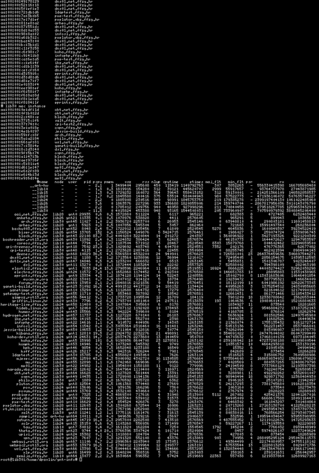
At first, it seemed like this would be easy to do. Using dstat,i I found that we are generating over 3 Gb/s traffic every few seconds to outside world. We have 1 Gb/s upstream link, but our bonded interfaces on ganeti nodes can handle 3 Gb/s of traffic, so for a start we where saturating our own link.
But which instance did that? I had to run dstat on every node in our cluster until I found two nodes which had instances which where overloading our link. Using iftop I was able to get hostname and IP address of instances which I wanted to shut down. However, this is where problems started. We didn't have DNS entries for them, and although I had IP and mac address of instances I didn't had easy way to figure our which instance has that mac.
Than I figured out that I can get mac from kvm itself, using ps. Once I found instances it was easy to stop then and examine what happened with them.
But, this got me thinking. Every time I have a troubleshooting problem with ganeti, I basically use more or less same command-line tools to figure out what is going on. But I didn't have a tool which would display me some basic stats about instance, but including mac addresses and network traffic (which in our configuration are tap devices added to bridges). So I wrote, gnt-info which presents nice overview of your instances in ganeti cluster which you can grep to drill-down into particular instance or host.
How I accidentally quit Twitter and Facebook
At some point, a couple of months ago, I noticed that my Facebook feed devolved into 9GAG reposts and random things about people I sometimes knew, often not. Twitter wasn't any better — it was mostly flame wars about web development issue du jour[0].
This wasn't the case of me just not grooming the feeds. I heavily curated Twitter accounts I followed, and my Facebook friends are my actual real-life friends (or at least real-life acquaintancies I'm on a friendly basis with).
The trouble was — I still spent a lot of time on both Twitter and Facebook! It's easy to get drawn into a Twitter conversation, or follow trails of meme images. And before you know it, half an hour has passed. While sometimes something genuinely interesting[1] came up, signal to noise ratio was too low.
So I decided to just visit occasionaly, a few times a week. I'd go over interesting stuff, ignore the pointless drivel, still get some value out of the experience, have fun and not waste too much time.
But coming back to Twitter and Facebook after a few days felt like watching a soap opera after a few days' pause. Nothing much happened in the meantime — certainly nothing digging for in the unwidely Twitter and Facebook user interfaces[2]. Having stepped out of the stream, I found it even less appealling. It was boring and I stopped coming back.
In the above description, there's very little “social”. While Twitter and Facebook are social in the sense that people communicate over them, in most[3] cases the communication is so shallow[4] and ephemeral that it becomes meaningless. It's an endless, constant chit-chat.
It's Junk Social. Like junk food, it satisfies the immediate need, in this case for social contact, but its nutritional value for the psyche is low[5]. And like junk food, it's easy to overindulge.
I unapologetically eat junk food — in small amounts. And I do think Junk Social can have value (and be fun) — in small amounts.
[1] Like Postmodern Jukebox
[2] While they put a lot of effort into the experience of the user consuming Now, it's obvious the use case of someone digging through Past is not high on the priority list.
[3] Notable exception is coordinating something in real-life, like setting up a meetup, pinging friends to go to the movies, organizing a charity drive or staging a revolution. The value here is always tied to the real-world behaviour, though, and using the social network as a communication tool, which is not exactly new — email, IRC, forums have all been used for this for decades.
[4] Twitter practically enforces this with their 140-character limit. It's impossible to have a thought-out, insigthful conversation there.
[5] Standard disclaimer applies: this is only my opinion, and I'm neither a nutricionist nor psychologist.
We all read hackaday, and when I read Five Dollar RF Controlled Light Sockets post I decided that I have to buy some. However, if you read comments on original Cheap Arduino Controlled Light Sockets - Reverse Engineering RF post and especially comments, you will soon figure out that ordering same looking product from China might bring you something similar but with different internals.
In my case, all four light sockets turn on or off with any button press on remote which was a shame. When I opened remote and socket, I also had bad surprise. My version didn't have any SPI eeprom, but just two chips, ST F081 FB 445 in remote and ST ED08 AFB422 in light bulb (in picture hidden below receiver board).
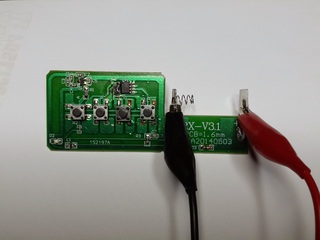
But, I already had acquired two sets so I wanted to see what I can do with them. Since I couldn't read eeprom to figure out code, I decided to use rtl-sdr to sniff radio signals and try to command them using cheap 315 MHz Arduino module.
I used gqrx to sniff radio signals and I was not pleased. Remote drifted all over the place mostly around 316 MHz and it was some trial and error to capture signals which are generated when buttons are pressed. However, I have verified that it's sending same signal multiple times no matter which keys I press (which would explain why four pins on remote are soldered together).
After a while I had two traces (since I have two sets of light sockets) and could decode binary data which is sent from following picture:
How I knew that one set is transmitting 1000100110110000000000010 and another one 1011001001011111000000010. From looking into timing in audacity, it seemed that each bit is encoded in short-long or long-short sequence where short one is about third of long one, and one bit is about 1200 ms. I cheated here a little and stuck scope into scope into transmit trace on remote to verify length of pulses just to be sure.
So as next step I wrote simple Arduino sketch to try it out:
#define TX_PIN 7
#define LED_PIN 13

char *code = "1000100110110000000000010";
//char *code = "1011001001011111000000010";

void setup() {
  pinMode(LED_PIN, OUTPUT);
  pinMode(TX_PIN, OUTPUT);
}

void loop() {
  digitalWrite(LED_PIN, HIGH);

  for(int i = 0; i  strlen(code); i++) {
    int i1 = 300;
    int i2 = 900;
    if (code[i] == '1' ) {
      i1 = 900;
      i2 = 300;
    }
    digitalWrite(TX_PIN, HIGH);
    delayMicroseconds(i1);
    digitalWrite(TX_PIN, LOW);
    delayMicroseconds(i2);
  }

  digitalWrite(LED_PIN, LOW);
  delay(3000);
}
So, I compiled it, uploaded to Arduino and... nothing happens.
Back to the drawing board, I guess.
When I was looking into gqrx I could see that signal is sent as long as I'm holding button up to 10 seconds. From experience before I know that this cheap receivers need some tome to tune into frequency so next logical step was to send same signal multiple times. And guess what, when I sent same singal twice with 2000 ms delay between them everything started to work.
Again somewhat. Light socket in far corner of hall seemed to have problems receiving signal which would put two light socket in hall in opposite state: one would be on and another would be off. This was fun, and could be fixed with simple antenna on Arduino module (since currently I don't have any) but I will conclude that your IoT device should send different codes for on and off state so something like this won't happen to you.
Then I got carried away and added commands to change all parameters to experiment how sensitive receiver is. You can find full code at http://git.rot13.org/?p=Arduino;a=blob;f=light_sockets/light_sockets.ino With this experiments I found out that you don't have to be precise with timings (so my oscilloscope step was really not needed). Receiver works with 500 ms low and 1100 ms high (for total of 1600 ms per bit) on high end, down to 200 ms for low and 800 ms for high (for total of 1000 ms per bit).
I suspect that chips are some kind of 26 bit remote encoders/decoders but I can't find any trace of datasheet on Internet. This is a shame, because I suspect that it's possible to program light sockets to respond to any code and in theory address each of them individually (which was my goal in beginning). However poor construction quality, and same code for on and off state (combined with poor reception) makes me wonder if this project is worth additional time.
I must confess that I'm pack rat. When I see old printer, something inside my head tries to figure out what I can do with all parts inside it instead of passing it to land-fill. However, I'm sysadmin and software guy, so JTAGs and programming is more up my wally than hardware. However, I decided to figure out how to drive one of servos using Arduino and this is my journey through this experience.
So I started with printer disassembly and got one stepper motor and some gears on it. It is Mitsumi M42SP-6TE. It has four wires and I couldn't find any data sheet about it. So what do I do now?
First some educated guesses.I assumed that it's 12V servo. This was somewhat influenced by examining similar Mitsumi MP42SP-6NK motor which have rating of 12V or 24V. Using unimer and taking ohm measurement between wires I confirmed that it has 10 Ω between coils which means it's bipolar, having two different coils which had both to be driven at the same time.
To connect it to Arduino, I acquired some time ago clone of Adafruit motor shield. When you buy cheap clones you expect some problems, and mine was fact that screw terminals on board weren't cut flash with board, so I had to use flat cutters and shorten them to prevent motor power from shorting with ICSP header on Arduino and USB connector on Uno. I also used red electrical tape and put it on USB connector just to be safe(r).
I also needed to add power jumper (white on picture) to provide power from Arduino (which in turn is powered by 12V 1A adapter). However, in this configuration L293D H-bridge becomes very hot to touch, so for testing I modified StepperTest example to provide me with serial control and powered Arduino from USB port (from which it draws 0.42 A and stepper still works with 5V supply which makes my 12 V assumption somewhat questionable). This enabled me to deduce that this stepper is also 7.5° which takes 48 steps to do full turn (small red dot on stepper gear helped to verify this). I also verified that top gear has 13:1 ratio to stepper motor making gear mechanism useful for smaller movements and better tork.
I hope this blog post will motive you to take old printers, scanners, faxes and similar devices apart and take useful parts out if it. Re-using boards for driving steppers is also very interesting, but this particular printer didn't come with power supply (and it has strange connector) and driver chip on it doesn't have any publicly available info, so this will have to wait some other printer which will decide to give up it's parts for my next project...
Arch Linux distributes
systemd as its init daemon, and has deprecated SysV init in
June 2013. Debian is doing the same now and we see panic and terror
sweep through that community, especially since this time thousands of
my sysadmin colleagues are affected. But like with Arch Linux we are
witnessing irrational behavior, loud protests all the way to
the BSD camp and public threats
of Debian forking. Yet all that
is needed, and let's face it much simpler to achieve, is organizing a
specialized user group interested in keeping SysV (or your
alternative) usable in your favorite GNU/Linux distribution with
members that support one another, exactly as
I
wrote back then about Arch Linux.
Unfortunately I'm not aware of any such group forming in the Arch
Linux community
around sysvinit,
and I've been running SysV init alone as my PID 1 since then. It was
not a big deal, but I don't always have time or the willpower to break
my personal systems after a 60 hour work week, and the real problems
are yet to come anyway - if
(when)
for example
udev stops working without systemd PID 1. If you had a
support group, and especially one with a few coding gurus among you
most of the time chances are they would solve a difficult problem
first, and everyone benefits. On some other occasions an enthusiastic
user would solve it first, saving gurus from a lousy weekend.
For anyone else left standing at the cheapest part of the stadium,
like me, maybe uselessd
as a drop-in replacement is the way to go after major subsystems stop
working in our favorite GNU/Linux distributions. I personally like
what they reduced systemd to (inspired by
suckless.org philosophy?), but
chances are without support the project ends inside 2 years, and we
would be back here duct taping in isolation.
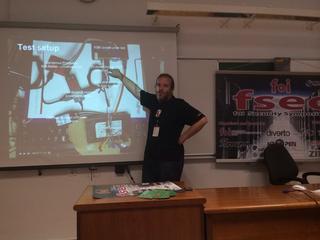
Last week I had pleasure of attending FSec 2014, annual security conference. Just like last year, I had hardware presentation, this time about reverse engineering NComputing CPLD dongle. You can find it on http://bit.ly/fsec2014-jtag or embedded below.
I had great time at conference, but I'm somewhat wondering did audience got something from my lecture. It was very interesting for me to figure out JTAG pinout on this board, and connect it to various JTAG programmers (all with their's good and bad sides) and I noticed that there are not any introductory text on the web how to approach this problem for the first time. So, I decided to present this topic in hope that this will motivate other people to take a hack at some board which would otherwise end up on e-waste of even worse, land-fill. And, who can resist call of free hardware which you can re-purpose? :-)
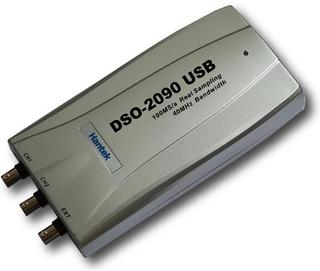
I have been using Hantek DSO-2090 USB oscilloscope for more than half a year now. While scope purist will say that usb oscilloscopes are not good enough for serious use for my use it's quite sufficient. However, this weekend, I was reverse engineering CPLD with R2R digital to analog converter, and I needed to figure out which steps are produced by turning pins on CPLD on or off. Sure, I can use multi-meter to do this, but if I already have oscilloscope it's much more powerful tool for task like this.
When choosing USB oscilloscope, I searched a lot, and decided to buy Hantek DSO-2090 because it's supported by free software like OpenHantek and sigrok. There are better oscilloscopes out there, but this one is supported by free software, and there is even a detailed tear-down which explains how to increase it's performance. When scope arrived, I was quite pleased with OpenHantek, but never managed to get sigrok working with it. It didn't matter at the time, since OpenHantek had everything I needed. However, for this task at hand I really needed minimum and maximum voltage. As you can see in video describing oscilloscope usage, and especially Hantek DSO-2090, including it's limits.
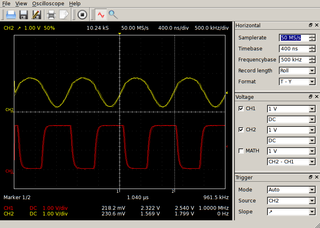
OpenHantek shows just amplitude of signal, which is difference between minimal and maximal voltage but doesn't show raw values which I needed. So, I wrote simple patch to OpenHantek to display minimum, amplitude and maximum voltage as you can see in picture. I also wrote a message on mailing list with a patch, so I hope you might expect to see this change in next version of OpenHantek.
This is an old article from my Croatian blog. It would lose much in the translation, so it is reposted as-is. To spare you the effort of learning Croatian: it chronicles my adventures in trying to purchase and furnish an apartment, in a manner similar to Kafka's The Trial, except there's a happy end and I'm not a literary genius.
Pred kraj 2007. godine započeo sam proces kupnje stana, negdje u 6. mjesecu 2009. su počele radnje vezanje uz preuzimanje i namještanje, da bi se većina stvari uspješno završila pred kraj 9. mjeseca.
Da počnem od početka. Kod kupnje nekakve nekretnine kod nas, osim ako imate nasljedstvo ili se bavite sumnjivim poslovima (ili ste napravili uspješan exit svog startupa!), korak broj jedan je dobiti nekakvo kreditiranje. Pred te dvije godine situacija sa dobijanjem kredita je bila mnogo … ne jednostavnija, ali s većom vjerojatnosti da ćete kredit moći i dobiti ukoliko imate uvjete za njega.
A naklonost banaka prema osobama koje traže kredit je usko vezana uz tip firme u kojem radite:
Prvo su me tražili dokaz o primanjima obrta, pa su zaključili da pošto je obrt dokaz o primanjima ne vrijedi ništa, tako da sam morao imati i sudužnike koji pokrivaju cijeli kredit i hipotetsko osiguranje. Hvala bogu da je zgrada (novogradnja) u kojoj sam kupovao stan bila financirana od strane iste banke, pa su uzeli budući stan pod hipoteku.
Eh da, tako je to bilo tada, jednostavno. Čujem da je sad puno, puno teže, a da hipoteke moraju pokrivati puno veći iznos (od onog koji se diže).
Rješivši financijski dio priče (ukoliko se obavezivanje na poprilično veliku ratu u slijedećih X godina može nazvati rješavanjem financijskog dijela priče), preostalo je samo ugodno čekanje da se zgrada dovrši. Naravno, računao sam sa “Faktorom H” i pretpostavio da će kasniti par mjeseci. Negdje s početkom godine krenuli smo i u lagano traženje namještaja i stvari za stan, s idejom da to kupimo taman negdje mjesec dana prije kompenziranog datuma useljenja, jer i namještaju treba neko vrijeme da dođe do nas.
Kako Hofstadter i kaže, stvar se još više oduljila, za jedno mjesec-dva. Ono što je u toj priči bilo najgore je da su i graditelji i banka znali da se stvar odužuje ali nitko nije želio priznati do zadnjeg trena, što znači da svoju taktiku nismo uspjeli prilagoditi. Rezultat: gomila namještaja u raznim skladištima i telefonsko izgovaranje kako stan još nije spreman. :(
Banka je tu opet posebna priča. Kredit koji su mi odobrili je na tzv. “tranše”. Laički rečeno, daju vam kredit ali vam ne daju novce :), odnosno ne sve odjednom, nego po fazama projekta. Btw, znate ono kad vam banka šalje prijeteće pismo ako zaboravite podmiriti nešto na vrijeme? E moja banka je zaboravila meni (tj graditelju) uplatiti tranšu. Anyhow, zadnja tranša je išla po dovršenju projekta. Kako je projekt kasnio, to je bilo negdje u 6. (umjesto u 3.) mjesecu, a stvar je išla ovako:
Eventually se kredit realizirao u potpunosti i tu naša priča s kupovinom završava, ali gdje završava jedna, počinje druga. Daklem, namještaj i unutarnje uređenje:
Zanimljiv detalj u cijeloj priči je da svi majstori / reklamacije rade od 9 do 5. Što znači za sve popravke treba trčati do stana pričekati majstore. To u kombinaciji sa činjenicom da obavezno kasne (ako imate sreće, kašnjenje se mjeri u satima a ne danima) znači da morate imati ili vrlo tolerantne šefove ili iskoristiti dio godišnjeg.
Paralelno sa useljenjem i radovima rješavamo i vezu na Internet. Tu nam se ne žuri jer imamo dovoljan pristup ‘netu na poslu. Ja sam na vrijeme iznajmio ured za svoju tvrtku pa imam opremljeno mjesto za rad. Ali nakon radnog dana mi se ne da još i tweetati i bloggati.
Za pristup Internetu imamo tri opcije: T-Com, neki drugi operater preko telefonske parice, ili B-Net. B-Net već ima provučene instalacije po zgradi i samo se u razdjelnom ormariću napravi prespajanje. Osim toga, za osnovni telka/telefon/net paket su i najjeftiniji. Stoga su nam oni bili prvi izbor. Kako smo kupili full HD televizor, želimo digitalni signal, pa se raspitujemo o digitalnim paketima — ima ih uz nadoplatu. Digitalni prijamnik ima samo SCART izlaz. Osim ako uzmemo HD paket koji se sastoji od 2 screensavera i Nove TV. Ne hvala.
Druga opcija je Iskon. Preferiramo ga T-Comu jer su jeftiniji, a osim toga su i manji pa im je zapravo stalo do običnih korisnika. Iskon mora prvo od T-Coma zatražiti paricu za nas. Nažalost, od T-Coma dobija odbijenicu uz razlog da nema slobodnih parica. Kako Iskon nije zakonski obavezan davati telefonsku infrastrukturu, ne mogu ništa.
Za razliku od njih, T-Com je zakonski obavezan dati telefonsku infrastrukturu. Stoga dajem zahtjev za uvođenje linije; bez ugovorne obveze, uz jednokratnu nadoknadu, s idejom odmah prelaska na Iskon. U roku od 24 mjeseca još uvijek će mi se isplatiti. Rok za rješavanje zahtjeva je 30 dana. Nakon mjesec dana zovem i dobijam poruku da je još uvijek u tijeku utvrđivanje tehničkih mogućnosti za uvođenje linije. Nakon još tjedan-dva svakodnevnog zvanja korisničke službe da saznam što se događa, storniraju mi zahtjev bez da mi jave. Korisnička služba kaže “valjda nije bilo tehničkih uvjeta za uvođenje”. Iz neslužbenih kanala saznajem trač da se T-Com svađa s nekim oko nekog zemljišta preko kojeg treba ići kabel.
Zaključujemo da nam se ne da čekati Godota pa uzimamo B-Net. Uz samo dva tjedna čekanja nakon podnošenja zahtjeva, dobijamo liniju i vraćamo se u 21. stoljeće.
E sad, cijela ova priča može zvučati kao da smo imali jako lošu sreću. Najgora stvar u cijeloj priči je da zapravo nije tako — relativno smo dobro prošli. Kredit smo uzeli u respektabilnoj banci; kamata, iako fleksibilna, još nije porasla. Graditelj je jedan od najkvalitetnijih u Hrvatskoj; nama recimo nije otpao balkon, uselili smo samo 3.5 mjeseca nakon roka, nemamo otrovne vodovodne cijevi, nije nam pao strop na glavu, a naš stan nije prodan još nekolicini kupaca. Nažalost, ovo je svakodnevica kupovine nekretnina u Hrvatskoj.
Sa majstorima i namještajem smo također dobro prošli — nitko nije zbrisao nakon uplaćene pozamašne kapare. Majstori su svoje mnogobrojne greške došli ispraviti, iako je počesto trebalo previše vikanja da se stvar obavi. Zadovoljni smo sa namještajem i sad kad su se stvari većinom smirile i završile, možemo uživati u svom novom stanu :) I plaćati taj kredit…
Dragi štioče, ako si dogurao do ovdje u čitanju teksta, svaka ti čast! Kao nagrada, evo par savjeta za kraj:
For the past few weeks I've been looking into Go [0]. It's a rather new language, backed by Google and it seems to have gained a fair amount (relative to its age) of adoption from developers.
These day I'm coding primarily in Python. Apparently, most people switching to Go are users of Python, Ruby, and similar languages. So, naturally, there's a lot of comparison made between these languages: for example, Go is considered by some to be as expressive as Python, but compiled down to native code so it's faster in execution, and has way better concurrency support.
But I have a different comparison to make - to C. Before Python, I was a C programmer [1], and I've actually spent more years coding in C than in Python. While learning Go, I compared it not only to the high-level dynamic Python language, but also to the low-level "portable assembler" language.
For the types of applications I used C for (desktop apps, command line tools, network services - nothing touching raw hardware), Go easily beats C. It seems as if someone sat down, listed all the problems with C that occur in practice, and then designed a language without those problems. In fact, considering who the principal mind behind Go is, that may not be far from the truth.
A few examples:
if and for, saner operator precedence, better switch syntax, that help eliminate some classes of errorsgo fmt improves readibility and maintainability of the code and eliminates endless flame wars; in C, I had to switch between K&R, GNU and Linux kernel coding styles dailygoto statements; Go's deferred functions are much cleaner (and more robust) implementationqsort; it takes less code to write a web server in Go than to sort an array in CI've only listed some of the improvements that can be directly compared with C, without touching features like channels and interfaces, which don't have direct counterparts in the land of C.
It is true that from a purely academic perspective, you may not find Go a very interesting language (if you're not into the whole concurrency thing). But from a C developer's point of view, it's a dream come true.
[0] I'm not switching to Go or ditching Python - I'm merely learning a new language
[1] Where I say “C”, I really do mean “C” - not “C and C++”
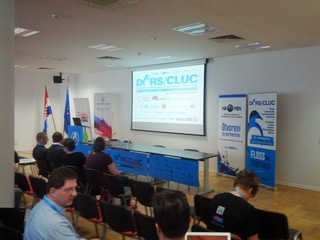
Every year, our three day annual DORS/CLUC 2014 conference is happening. This year, the dates shifted a few weeks later, which resulted in less students showing up because of exams, so it was a somewhat different experience than years before. For few years now we are not at the University of Zagreb, FER location so it also changed conference a bit. Having said that, even after move from FER, we still had a bus of students from my own faculty FOI in Varaždin, and they where missing this year.
It was still full conference in new (2nd floor, not ideal for breaks in fresh air which is a must to stay for 11 hours each day, mind you) location at Croatian Chamber of Economy new and nice conference hall with wifi which was stable but didn't allow UDP traffic. Both mosh and n2n didn't work for me.
It was also in very different format. I would love to know did it worked for people or not. Instead of charging for workshops, they where included in conference price, and as every year, it you where interested in topic, nobody will turn you away from workshop because of space :-) This also meant that workshops are three hours slots at the end of the day after 7 hours of lectures. When conference started, we where afraid how will we accommodate all that people at workshops, but sense prevailed and about 20 or so people stayed for workshop each day.
I had 5-minute lightning talk about Parallella, and hopefully managed to explain, that there is now interesting dual-core ARM, with interesting DSP-like capabilities backed by OpenCL and FPGA. This is unique combination of processing power, and it would be interesting to see which part of this machine can run OpenVPN encryption best for example, because it has 1Gbit/s ethernet interface.
ZFS on Linux had a 0.6.3 release just in time, and I presented two and half hour long workshop about ZFS for which 10-20 people stayed, after 7 ours of presentations. I somewhat field to show enough in command-line, I'm afraid, because I was typing too little. I did managed to show what will you get if you re-purpose several year old hardware for ZFS storage. Something along lines of 2004 year hardware with 8 SCSI disks.
I managed to create raid-10 like setup, but with all benefits of ZFS, fill it up and scrub it during workshop.
root@debian:/workshop# zfs list
NAME                  USED  AVAIL  REFER  MOUNTPOINT
workshop              268G    28K   268G  /workshop
workshop/test1        280K    28K   144K  /workshop/test1
workshop/test1/sub1   136K    28K   136K  /workshop/test1/sub1
root@debian:/workshop# zpool status
  pool: workshop
 state: ONLINE
  scan: scrub repaired 0 in 0h44m with 0 errors on Tue Jun 17 17:30:38 2014
config:

        NAME                                      STATE     READ WRITE CKSUM
        workshop                                  ONLINE       0     0     0
          mirror-0                                ONLINE       0     0     0
            scsi-SFUJITSU_MAS3735NC_A107P4B02KAT  ONLINE       0     0     0
            scsi-SFUJITSU_MAS3735NC_A107P4B02KBB  ONLINE       0     0     0
          mirror-1                                ONLINE       0     0     0
            scsi-SFUJITSU_MAS3735NC_A107P4B02KCK  ONLINE       0     0     0
            scsi-SFUJITSU_MAS3735NC_A107P4B02KDD  ONLINE       0     0     0
          mirror-2                                ONLINE       0     0     0
            scsi-SFUJITSU_MAS3735NC_A107P4B02L4S  ONLINE       0     0     0
            scsi-SFUJITSU_MAS3735NC_A107P4B02L4U  ONLINE       0     0     0
          mirror-3                                ONLINE       0     0     0
            scsi-SFUJITSU_MAW3073NC_DAL3P6C04079  ONLINE       0     0     0
            scsi-SFUJITSU_MAW3073NC_DAL3P6C040BM  ONLINE       0     0     0

errors: No known data errors
I think it might be good idea to pxeboot this machine on demand (for long-term archival storage) and copy snapshots to it on weekly basis for example. Think of it as tape alternative (quite small, 300G) but with rather fast random IO. Idea was to use this setup for ganeti-backup target, but dump format of ext file-system forced us to use zfs volumes to restore backup on other RAIDZ1 4*1.5T SATA pool, and it was very slow.
Another interesting part of infrastructure work last year for me was with Luka Blašković. We migrated all servers from faculty and library to two Ganeti groups. We are running cluster of reasonable size (10+ nodes, 70+ instances). Everything we did is done from legacy hardware which is now much better utilized. Some machines where never backuped and firmware upgraded so it was first time for them to have this kind of maintenance in last 10 years. Now we can move VM instances to another machine, and we are much more confident that services will stay running via live migration for scheduled maintenance or restart in case of hardware failure.
For workshop, we decided to chew a bit more than we can swallow. We spun up KVM images on our ganeti cluster and went through installation of workshop ganeti on them and joining them to new cluster. This went fairly well, but then we started configuring xen to spawn new instances (ganeti kvm with ganeti xen on top of it) we had some problems with memory limits which we managed to fix before end of workshop.
In our defense, we really believe that workshop was more interesting this way, probably because people didn't want to leave (few brave ones which where with us all the way to the end, that is). When you try to deploy something as complex as Ganeti you will run into some problems, so seeing troubleshooting methods used is usually as helpful as solution itself.
All in all, it was interesting and very involved three days. Hope to see you all again next year.
After 18 months Parallella kickstarter project delivered and I got the device in my hands. To be honest, I was prepared to write off $100 for it, but decided to support the project because I believe that we should have alternative architectures developed and Epiphany had such a goal.
As you can see on the picture, I got parallella board and heatsink for FPGA in nice box together with the pack slip. Heatsink is recent addition because the FPGA get very hot. However, it's not enough because you will also need some air flow over it to ensure stable operation. And 5V 2A power supply. So, I decided to do some research before the first power-on because burning board on the first try is not a good option.
Here is where Parallella forums came in very handy. It's full of very supportive community, and to learn how to use your board it's better place than the official documentation (and more up-to-date). On it you can learn that there are jumpers on the board to provide 5V for fan, and various other hints about the platform including ability to power the board over USB connector which proved helpful since I could use a 2A Nexus power supply.
Official image for Parallella is based on Ubuntu (which I don't like much, it even doesn't move devtmpfs by default), so I opted to install the unsupported Debian installation and try to lower power usage by disabling HDMI support since I'm not using it. And thanks to helpful parallella community and the forum post about with alternative parallella bitstreams and device tree I was successful in that task lowering power draw to ~0.75 A in idle mode and ~0.86 A while testing with aobench from parallella-examples. CPU load alone (two arm cores) seem to consume ~0.81 A. For comparison, HDMI bitstream consumes ~1.03 A in idle and ~1.19 A under load. All values are maximal ones which I measured using USB charger doctor, so they might not be the most precise.
To cool the device, I have salvaged small fan from an old disk drawer and attached it to the board using zip ties.
Power is supplied from a USB port on PC (for now), but the next logical step is to connect it to the jumpers on board and print the case for it on 3D printer. This involves mocking up with 3D software to the design case, so it might take some time. However, so far I'm very happy with my new toy.
One of the defining properties in Python is its dynamic type system. This is both a blessing and a curse. The benefits are probably obvious to every Python programmer.
One downside is that it lets through a class of simple, but very easy to make, errors, that could be caught easily by the type system. In languages such as Python, these errors easily slip through without a good automated test coverage system.
Another downside is that specifying types directly can help with readability of the code, and is especially useful in documenting an API (be it an external library or an internal component). In Python, for example, the standard practice is to document the types (and meaning) of function arguments and return values in a docstring in a special Sphinx-recognized syntax. So we do have to spell out the types manually, anways, but that's of no use to the interpreter!
This is recognized as a problem to the extent that there are several Python packages attempting to solve it (typecheck-decorator, typecheck3, typechecker, typeannotations, with the most active one appearing to be PyContracts), and there's even a Python3 PEP designed to help with it: PEP-3107 (although it is general enough that it can be used for other purposes as well, this was one of the primary concerns). In fact, Guido van Rossum posted a series of articles on that very topic way back in 2004 and 2005 (Adding optional static typing to Python, part1, part2, part3, redux).
Since the topic is interesting to me, and this being a series of programming experiments, I decided to implement my own solution to this problem. Although the main motivation was to have fun, I believe the solution might actually be useful in the real world, and that it has some benefits over existing ones: expresivness, clean, readable syntax, and Python 2 support.
Here's how it looks: this snippet defines a function taking two integers, adding them, and returning their result, which is also an integer:
@returns(int)
@params(a=int, b=int)
def add(a, b):
    return a + b
Simple, right? Here's a little more complex one:
class MyObject(object):
    name = ...

@returns({str: [MyObject]})
@params(objs=[MyObject]):
def group_by_name(objs):
    groups = defaultdict(list)
    for obj in objs:
        groups[obj.name].append(obj)
    return groups
Pretty readable, eh?
The type signatures can be arbitrarily complex so it can support the majority of use cases in the real world. The major missing part is support for union types, for arguments which can be of a few distinct types (often, the actual value type and None representing the default value). In these cases, you need to use object, which matches any type.
Since the behaviour doesn't rely on Python 3 annotations, Python 2 is supported as well (in fact, it works on any version of Python from 2.5 onwards).
Another feature I added is logging support and ability to enable or disable the type checks at runtime. This is useful when running code in production, in which you don't neccessarily want to crash the application due to the type check assertion, but you probably want to log the occurrence happening.
Here's an example of a log created when calling the above add function incorrectly:
ERROR:typedecorator:File "example.py", line 11, in some_caller: argument a = 'a' doesn't match signature int: add('a', 1)
The code for all of this is stable, tested, published on GitHub and available from PyPI. If you want to play with it, head on to typedecorator repository on GitHub for more docs. If you do try it out, I'd love to hear your comments and suggestions.
I have some ideas about additional stuff that could go into it, which I'll probably cover in some future installment of the programming experiments series, so stay tuned!
Testing subscribe out again.
This post talks about a neat trick for simplifying program flow in Python. If you know Haskell, you'll recognize it as the Maybe monad. If you're more of a Scala or OCaml type of person, it's an Option. If OOP and design patterns rock your boat, it looks eerily like the Null Object Pattern.
Here's a problem to start with: imagine you have a function that deals with several variables. For example, it might do a calculation or perform some I/O based on the variables. One (or more) of them may be not supplied, not valid, unknown, or have to be similarly special-cased.
The naive code might look like:
foo = get_foo() # may return None if we can't get 'foo'
foo_squared = foo * foo
bar = ... # doesn't depend on foo
baz = foo_squared * bar
print foo, bar, baz
This doesn't handle the fact that foo might not be known (ie. have the value of None here), in case the program will happily crash.
No worries, we'll just add checks where appropriate, right?
foo = get_foo() # may return None if we can't get 'foo'

if foo is None:
    foo_squared = None
else:
    foo_squared = foo * foo

bar = ... # doesn't depend on foo

if foo_squared is None:
    baz = None
else:
    baz = foo_squared * bar

print foo, bar, baz
This works correctly (unless I made a mistake), but is ugly and the actual calculation we tried to do is hidden between the special-case checks. In this small example, the calculation can be reordered to simplify it a bit - finding more complex examples of the same problem in real-world code is left as an exercise for the reader.
Instead, let's define something called Maybe, that can be either Nothing (which means, there's no value of interest), or Just(value) if it does hold a useful value. Further more, let's define that any operation that involves a Nothing immediately results in Nothing. Operations that involve a Just(value) will compute the result as usual, but then additionally wrap it again in Just, to produce Just(value).
The above function then looks something like:
foo = maybe_get_foo()  # returns  Just(<value>) or Nothing
foo_squared = foo * foo
bar = ... # doesn't depend on foo
baz = foo_squared * bar
print foo, bar, baz
Much better.
How hard it is to define such a construct in Python? As it turns out, not that hard. Here's a complete implementation, with documentation, tests and a license, in less than 250 lines - maybe.py. It doesn't cover all the operators possible (patches welcome), but it does cover most of the usual suspects.
Functional programming aficionados will probably balk both at the implementation and the usage. There's objects, operator overloading, metaclasses and magic mocking of attributes and function calls. And stuff like this works:
>>> Just('hello')[:-1].upper()
Just('HELL')
>>> Just(Nothing)[:-1].upper()
Nothing
Is it really a monad, then? Yes, it is - the relevant axioms hold (see the docstrings). However, it doesn't try to shoehorn Lisp, Haskell or Scala syntax into Python (if you're into that, fn.py might be of interest). It uses Python's strengths instead of awkwardly stepping around its "not really a functional programming language" limitations.
And that's why it was fun to write.
Fedora is an awesome distro, but it lacks a bit polish to be usable work and pleasure desktop out of the box. Follow these 5 easy steps to make a perfect Fedora desktop. Please also share how you make your Fedora install perfect.
1. First step is updating the whole system, and is the one I hate the most, so let’s just get over with it…
sudo dnf update -y
2. Now let’s install Fedy tool that lets you tweak lot’s of additional things fast, streamlines installation of software and tweak and is really simple to use:
su -c "curl http://satya164.github.io/fedy/fedy-installer -o fedy-installer && chmod +x fedy-installer && ./fedy-installer"
3. Fedy has also a nice gui, but once you get to know what it can do it is faster to do all things via command line:
sudo fedy --exec sublime_text3 touchpad_tap rpmfusion_repos media_codecs skype_linux tor_browser adobe_flash nautilus_dropbox teamviewer_linux
4. Now let’s install some additiona goodies, and use dnf tool instead yum because it is much faster:
sudo dnf install synapse faience-icon-theme clipit vlc qbitorrent krusader filelight k3b-extras-freeworld redshift-gtk htop lm_sensors filezilla @cinnamon-desktop xchat pidgin gnome-tweak-tool
5. And best for last, compile and install tilda which is just best terminal ever:
sudo dnf install git automake libconfuse-devel vte3-devel gtk3-devel glib-devel gettext-devel gcc

git clone https://github.com/lanoxx/tilda.git

cd tilda/

./autogen.sh --prefix=/usr

make --silent

sudo make install
That is is, just don’t forget to switch to Cinnamon as your default desktop next time you login and change icons to Faience icons. Enjoy your perfect Fedora desktop!
Few days ago, I noticed odd problem with koha-common package. It depends on mysql-client which on squeeze tries to install version 5.1 which conflicts with my installation which uses Percona MySQL build. How can we fix this?
As it turns out, it rather easy. I will just create fake package which will provide mysql-client and in turn depend on percona-server-client using something like:
koha-dev:/srv# cat mysql-client-fake/DEBIAN/control
Package: mysql-client-fake
Version: 0.0.1
Section: database
Priority: optional
Architecture: all
Depends: percona-server-client
Provides: mysql-client
Suggests:
Conflicts:
Maintainer: Dobrica Pavlinusic <dpavlin@rot13.org>
Description: Provides mysql-client for percona build
koha-dev:/srv# dpkg-deb -b mysql-client-fake .
dpkg-deb: building package `mysql-client-fake' in `./mysql-client-fake_0.0.1_all.deb'.
koha-dev:/srv# dpkg -i mysql-client-fake_0.0.1_all.deb
(Reading database ... 59348 files and directories currently installed.)
Preparing to replace mysql-client-fake 0.0.1 (using mysql-client-fake_0.0.1_all.deb) ...
Unpacking replacement mysql-client-fake ...
Setting up mysql-client-fake (0.0.1) ...
Quick and easy. Before you start bashing Debian for this, have in mind that both Koha and Percona MySQL builds are not official Debian packages, so it's not really Debian developers problem.
Update: This problem occurs because Debian developers decided to use virtual-mysql-server and virtual-mysql-client Provides so Percona changed it's provides to virtual-mysql-server but Koha package requires older mysql-client.
Linux Mint has issue with some default apps that are launched from Firefox and Chrome browsers. For example instead of PDF viewer GIMP is lauched as PDF viewer. After investigating this issue looks like it is a common issue for lots of people who are using Mate version of Linux Mint. Probably some updates are to blame.
As usual best place to find good info is Arch Wiki which has some great info about setting default app launchers.
Issues for me was opening PDF files and directories from Firefox and Chrome. To check current default apps ‘xdg-mime’ is used:
xdg-mime query default inode/directory

xdg-mime query default application/pdf
and a quick fix for my two issues was:
xdg-mime default atril.desktop application/pdf

xdg-mime default caja.desktop inode/directory
and now just to test if new launchers work as you expected:
xdg-open ~/Desktop/

xdg-open ~Downloads/Demo.pdf
ps. Ask Fedora has really informative page regarding default apps on Fedora.
Finally I decided to upgrade my wireless network to 802.11n, and to do so I picked up cheap TP-Link TL-WR740N and decided to install OpenVPN, n2n and munin node on it. This is where the problems started because simple opkg install openvpn filled up whole file-system. Instead of declaring fail on this front, I decided to ask a friend how to make this work...
Reason for this upgrade was change in my router provided by ADSL provider. I didn't have any administration privileges on it, and it was only 802.11g device, so my previous configuration with igel which provided pppoe wasn't possible any more (since I can't turn ADSL router into bridge mode). So I decided to scrap igel and move openvpn and n2n to TP-Link instead (which will also help with head dissipation on my closet which hosts all those devices).
Since router has just 4MiB of flash storage, installing large packages is not solution for this platform. However, all is not lost, and there is alternative way to make this work. Trick is in way how OpenWRT uses flash storage. Image which you download from internet contains squashfs (which is compressed) that enable really efficient usage of storage on router itself. All additional packages are installed into overlay file-system, which doesn't support compression so you will fill root file-system really quick. However, there is solution. OpenWrt project provides Image Builder which enables you to select packages which are included in base installation, and thus ends up in squash file-system nicely reducing need for flash storage. Even better, you can also exclude packages which you are not going to use. However, to make this really useful you also have to provide files directory which contains modifications needed to make your specific router configuration work (like IP addresses, OpenVPN keys, n2n keys and similar modification).
First, I downloaded OpenWrt Barrier Breaker (Bleeding Edge Snapshots) and created files directory in which I will create files which are specific for my setup. For a first build (to make sure that it works I just copied /etc/config/network into it and rebuild image with
make image PROFILE=TLWR740 PACKAGES="-dnsmasq -ip6tables -ppp \
 -ppp-mod-pppoe -kmod-ipt-nathelper -odhcp6c \
 openvpn-openssl n2n muninlite" FILES=../files/
I didn't need dnsmasq (because ADSL modem will provide DHCP service for my network) and along the same lines, I also excluded ppp and nat but added openssl, n2n and muninlite (which is munin node written in C).
scp bin/ar71xx/openwrt-ar71xx-generic-tl-wr740n-v4-squashfs-sysupgrade.bin root@192.168.1.2:/tmp/
ssh root@192.168.1.2 sysupgrade -v /tmp/openwrt-ar71xx-generic-tl-wr740n-v4-squashfs-sysupgrade.bin
Than I hold my breath and after re-flashing router it rebooted and connected to my network. So far, so good. Now I had all required packages installed, so I started configuring packages to my specific need. In the end, I had following configuration files which I copied back to my files folder
dpavlin@t61p:~/openwrt$ find files/
files/
files/etc
files/etc/config
files/etc/config/system
files/etc/config/network
files/etc/config/wireless
files/etc/config/openvpn
files/etc/config/n2n
files/etc/openvpn
files/etc/openvpn/tap_home.conf
files/etc/openvpn/tap_home.sh
files/etc/openvpn/prod.key
files/etc/init.d
files/etc/init.d/openvpn
files/etc/dropbear
files/etc/dropbear/authorized_keys
After another rebuild of image to make sure that everything works, I was all set with new router for my home network.
The following list of files have FAILED the md5sum comparison test. This means that the file has been changed in some way. This could be a result of an OS update or application upgrade. If the change is unexpected it should be investigated:
/usr/bin/ghostscript: FAILED
/usr/bin/gs: FAILED
I'm halfway through Patterns of Software, a collection of essays by Richard Gabriel (one of creators of Common Lisp). The book approaches problems in software development from a philosophical standpoint and is heavily influenced by works of Christopher Alexander, an architect that started the entire Design Patterns movement.
As a lead of a software development consultancy, I'm in daily contact with people who find it hard to grasp why a software project can be hard to plan, deadlines and cost hard to estimate, even for experienced developers. In Richard's book I found an excellent explanation:
The true problems of software development derive from the way the organization can discover and come to grips with the complexity of the system being built while maintaining budget and schedule constraints.
He then goes on to explain:
It is not common for organizations to try to put together a novel large artifact, let alone doing it on schedule. When an engineering team designs and builds a bridge, for example, it is creating a variant of a well-known design, and so many things about that design are already known that the accuracy of planning and scheduling depends on how hard the people want to work, not on whether they can figure out how to do it.
This matches my experience well. Any non-trivial software development project is largely a research project as well. If it weren't, it'd already be available as an existing off-the-shelf solution.
The entire book is a great treatise on software development and software quality and I heartily recommend it to anyone interesting in thinking about software, design patterns and code quality. The book is freely available online, in PDF format.
I'm halfway through Patterns of Software, a collection of essays by Richard Gabriel (one of creators of Common Lisp). The book approaches problems in software development from a philosophical standpoint and is heavily influenced by works of Christopher Alexander, an architect that started the entire Design Patterns movement.
As a lead of a software development consultancy, I'm in daily contact with people who find it hard to grasp why a software project can be hard to plan, deadlines and cost hard to estimate, even for experienced developers. In Richard's book I found an excellent explanation:
The true problems of software development derive from the way the organization can discover and come to grips with the complexity of the system being built while maintaining budget and schedule constraints.
He then goes on to explain:
It is not common for organizations to try to put together a novel large artifact, let alone doing it on schedule. When an engineering team designs and builds a bridge, for example, it is creating a variant of a well-known design, and so many things about that design are already known that the accuracy of planning and scheduling depends on how hard the people want to work, not on whether they can figure out how to do it.
This matches my experience well. Any non-trivial software development project is largely a research project as well. If it weren't, it'd already be available as an existing off-the-shelf solution.
The entire book is a great treatise on software development and software quality and I heartily recommend it to anyone interesting in thinking about software, design patterns and code quality. The book is freely available online, in PDF format.
This article is writen in spite of lots of blog posts on this topic, but most of them don’t take in account some best practices and have redundant and sometimes wrong information.
So if you wish to use your Raspberry Pi as OpenVPN client and make configure your Raspberry Pi the RightWay(tm) then you have come to the right place :)
First you need to have certificate files, if you are admin on the OpenVPN server also then you need to know how to create these files (not covered in this article) and if you are not then you should ask admin of OpenVPN server to send these files to you.
First file you need is Certificate Authority Certificate file usually named ca.crt, and two are client specific and unique for each client, for this example I’ll use raspberry.key and raspberry.crt
First install openvpn package:
sudo apt-get install openvpn
Now create config file for OpenVPN:
vi / etc/openvpn/client.conf
and use these settings:
client

dev tun

port 1194

proto udp
remote CHANGE-ME-SERVER 1194 # VPN server IP : PORT
nobind
ca / etc/openvpn/ca.crt
cert / etc/openvpn/raspberry.crt
key / etc/openvpn/raspberry.key
comp-lzo
persist-key
persist-tun
verb 3
sudo / etc/init.d/openvpn starttail /var/log/daemon.logPlanet Linux.hr is an aggregation of Linux and Open Source themed blogs written by Croatian people from the whole wide world. Blog entries aggregated on this page are owned by, and represent the opinion of the author.
Planet Linux.hr je skup blogova sa Linux i open source tematikom koje pisu nasi ljudi u domovini i inozemstvu. Clanci sakupljeni na ovoj stranici su u vlasnistvu i predstavljaju misljenje svojih autora.
Last time updated: 11. 05. 2024. 20:00
Aggregated blogs:
If you want your blog to be aggregated on this planet, contact Senko Rasic.
